

DeckSettings
1.2 by WEBGEHEUER OÜ (0 Reviews) December 10, 2025

Latest Version
1.2
December 10, 2025
WEBGEHEUER OÜ
Entertainment
Android
0
Free
com.decksettings.app
Report a Problem
More About DeckSettings
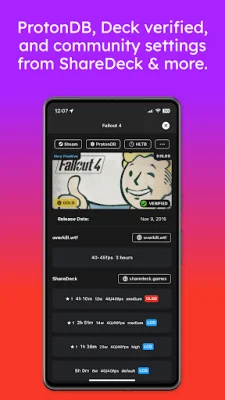
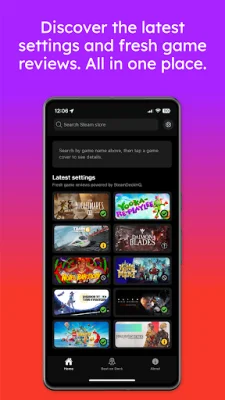
DeckSettings is a user-friendly application that brings together trusted sources from the community to help users discover the best configuration for their Steam Deck. The Home screen provides a quick and easy way to find new tuning guides, with a Latest Settings feed that showcases recent reports from SteamDeckHQ, ShareDeck, and DeckVerifiedGames. Users can also search for any game from the Steam Store using the search bar. The Game Details view is a comprehensive source of information, combining data from ProtonDB, Deck Verified status, and Steam reviews. Quick-action buttons are available for direct links to Steam, ProtonDB, HowLongToBeat, and more. The Game Settings section also offers presets from ShareDeck, SteamDeckHQ, DeckVerifiedGames, and Overkill.wtf, when available. The Best on Deck tab features SteamDeckHQ's top-rated titles, with continuous scrolling for effortless browsing. Each card opens into a detailed view, making it easy to compare settings and choose the next game to play. Whether users are looking to optimize performance, extend battery life, or research new releases, DeckSettings provides reliable knowledge at their fingertips, specifically tailored for the Steam Deck experience. It is important to note that DeckSettings is not affiliated with, endorsed by, or sponsored by Valve Corporation, Steam, or Steam Deck. All trademarks, logos, and images related to Steam Deck are the property of Valve. Game titles, images, and logos belong to their respective owners. This disclaimer ensures that users are aware of the application's independence and that all rights and ownership belong to the respective companies and individuals.
Rate the App















Popular Apps









