

DeDuplicate - Cloud Cleaner
2.7.0 by Campione Software (0 Reviews) April 12, 2026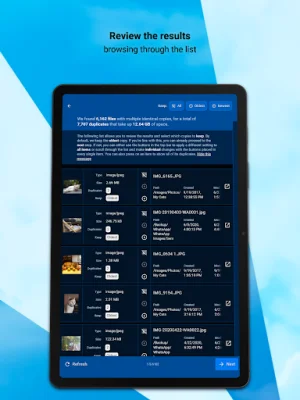
Latest Version
2.7.0
April 12, 2026
Campione Software
Tools
Android
0
Free
dev.campione.DeDuplicate
Report a Problem
More About DeDuplicate - Cloud Cleaner
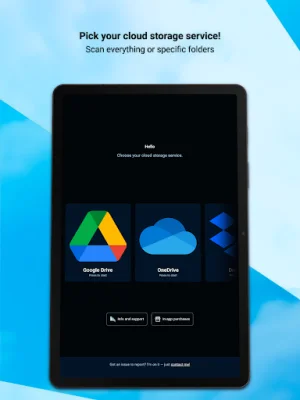
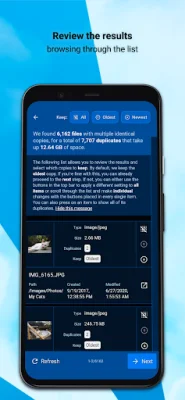
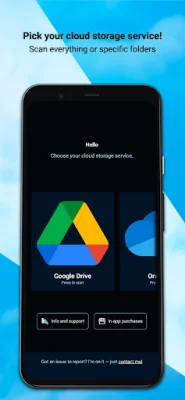
DeDuplicate is an application that helps users find and remove duplicate files from their cloud storage. Many popular cloud services like Google Drive, OneDrive, and Dropbox do not have built-in tools for this task, which can lead to wasted space and loss of control over files. This problem is exacerbated by automatic mobile backups, which can create even more duplicates. To use DeDuplicate, users simply need to log into their cloud storage account and select the folders or entire drive they want to scan. The scan time is dependent on the number of files, not their size, and the process is very quick. The app uses metadata provided by the cloud services, so files are not downloaded, saving bandwidth and requiring no extra storage. DeDuplicate is different from other duplicate file finders in several ways. It is efficient and fast, with accurate detection of exact duplicates using file hash values. This means that file names are ignored and only identical content is considered. The app also prioritizes privacy, as all operations are done locally on the user's device and no file data is collected. It also supports multiple cloud services and is cross-platform. Currently, DeDuplicate supports personal accounts for OneDrive, Dropbox, Google Drive, MEGA, Box, pCloud, and Yandex.Disk. However, it is not fully compatible with business, school, or enterprise accounts, though support for these account types is planned for future updates. For Google Drive users, there are a few important notes to keep in mind. Due to changes in Google's requirements, DeDuplicate does not have a "verified" status, but it can still be used normally with a small workaround. Additionally, Google proprietary file types like Google Docs and Sheets are not included in the scan. This app is essential for anyone who wants to efficiently manage their cloud storage and free up space. Previously, the only way to remove duplicates was a time-consuming process of downloading files, using offline utilities, and then syncing changes back to the cloud. DeDuplicate streamlines this process and makes it much more manageable. The app is actively developed, and users are encouraged to contact the developers with any issues they encounter.
Rate the App















Popular Apps









