
DNS Changer - IPv4 & IPv6
2.5 by AppPlanex (0 Reviews) September 18, 2024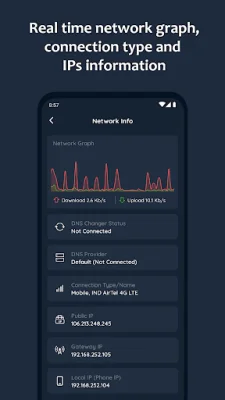

Latest Version
2.5
September 18, 2024
AppPlanex
Tools
Android
0
Free
com.appplanex.dnschanger
Report a Problem
More About DNS Changer - IPv4 & IPv6
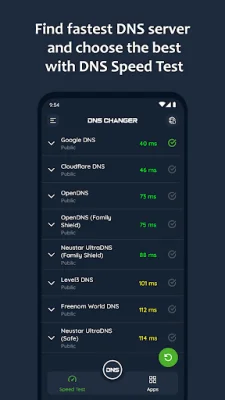
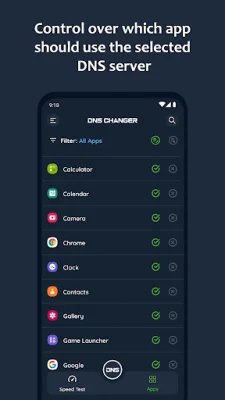
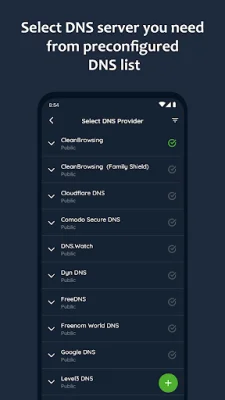
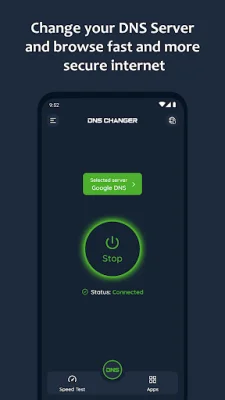
DNS Changer is an application that allows you to easily change your DNS server and find the fastest one through a speed test. It works for both mobile network data and Wi-Fi connections without requiring root access and supports both IPv4 and IPv6 DNS servers. You can choose from a list of preconfigured public DNS servers or add your own custom server. By changing your device's DNS address, DNS Changer helps to keep your web browsing fast, secure, and private. It can also help you access websites that may be blocked by your internet service provider and improve your online gaming experience by reducing latency and providing faster response times. This app improves your internet browsing by optimizing your device's DNS servers. While it may not directly boost your download or upload speeds, it can significantly improve your web browsing time. The default DNS server can have a direct impact on your browsing speed, so by choosing the fastest server based on your location, you can speed up your internet browsing. With DNS Changer, you can easily find the fastest DNS server and connect to it with just one touch. The app offers a list of preconfigured DNS servers, including CleanBrowsing, Cloudflare DNS, DNS.WATCH, Comodo Secure DNS, Google Public DNS, and more. You can also add your own custom server. There are many reasons why you may want to change your DNS server. Some of the benefits include being able to freely explore your favorite sites and apps, enjoying a fast and private browsing experience, staying secure on public Wi-Fi, accessing restricted websites, and preventing access to malicious sites. It can also improve your online gaming experience and is easy to use with just one tap. DNS Changer offers a variety of key features, including the ability to control which apps use the selected DNS server (Pro version), a DNS speed test to find the fastest server, a list of preconfigured public servers, the option to add your own custom server, real-time network information, and support for both mobile network data and Wi-Fi connections. It also works without root access and does not consume system resources or collect personal data. The app is 100% ad-free and uses a VPN service to only set up a local VPN interface for changing DNS server addresses. If you have any questions or suggestions, you can contact the support team at [email protected].
Rate the App














Popular Apps









