exFAT/NTFS for USB by Paragon
3.6.1.13 by Paragon Technologie GmbH (0 Reviews) August 04, 2024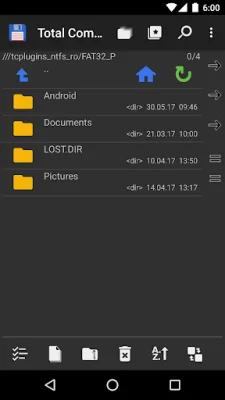
Latest Version
3.6.1.13
August 04, 2024
Paragon Technologie GmbH
Tools
Android
0
Free
com.paragon.tcplugins_ntfs_ro
Report a Problem
More About exFAT/NTFS for USB by Paragon
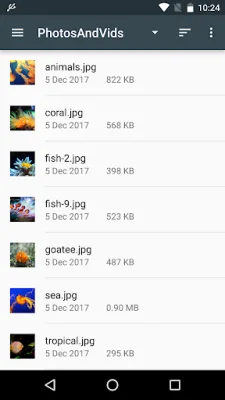
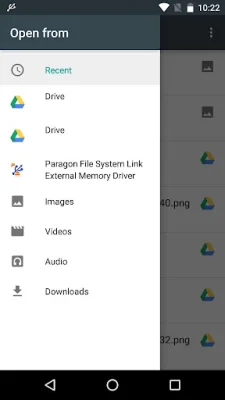
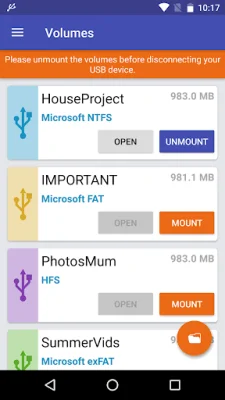
The app is designed to provide easy access to device storage, cloud storage services, USB storages, and data management. It is fully integrated with Paragon File System Link document provider, which is based on Storage Access Framework (SAF). This ensures that users can access their data from various sources, including external HDDs, USB flash drives, and cloud services. The app also supports popular file systems such as HFS+ and Microsoft exFAT/NTFS, allowing users to view photos, listen to music, read books, and watch videos directly from their USB storage.
One of the unique features of this app is its compatibility with Android TV, making it easier for users to access their data on a larger screen. With Paragon File System Link, users can free up storage space on their Android devices by transferring files to a USB flash drive. They can also manage their files using various file managers and even stream data from external memory to popular cloud services like Google Drive, Microsoft OneDrive, Dropbox, and more.
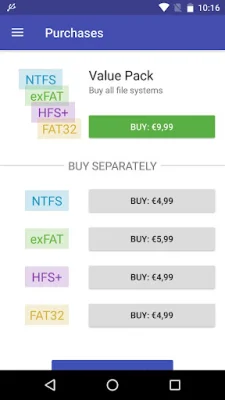
The app also offers a trial mode for users to evaluate its functionality before making a purchase. In-app purchases are available for additional features, including support for HFS+, Microsoft NTFS, and Microsoft exFAT. Users can activate the trial mode by authorizing via Google+ or by making a post on Facebook.
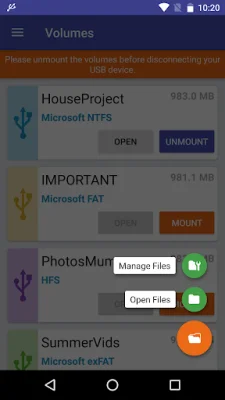
To use the app, users need to install Microsoft exFAT/NTFS for USB by Paragon Software on their device and connect a USB flash drive via USB OTG. They can then choose to open and view files or manage them using the built-in Android file manager. For advanced file management features, users can also use the app's Plugin for Total Commander functionality.
Paragon Software has been providing reliable software products and technology solutions since 1994. Their global business partners include well-known brands like AJA, Asus, QNAP, Western Digital, and ZTE. Users can provide feedback through the Google Play page or by tapping the "Report a Problem" button within the app. The app also has a privacy policy in place to protect user data.
Rate the App















Popular Apps









