

Expanager : Expense Manager
2.0.501 by Potware Solution (0 Reviews) August 31, 2024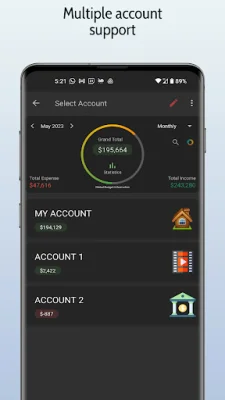
Latest Version
2.0.501
August 31, 2024
Potware Solution
Finance
Android
0
Free
com.finance.expanager
Report a Problem
More About Expanager : Expense Manager
Expanager is an expense manager and tracker app that helps you keep track of your expenses and incomes. It has a simple and rich design, making it easy to use and providing a great insight into your spending patterns. One of its unique features is the voice-based transaction entry, which allows you to add transactions by simply speaking, similar to Google Assistant.
The app also offers customizable categories, multiple accounts, and recurring expenses and incomes. It also provides notifications for repeating entries and allows you to schedule future entries with notifications. This makes it easier to stay on top of your finances and plan for the future.
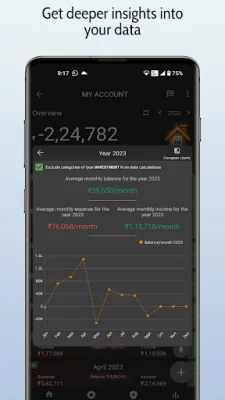
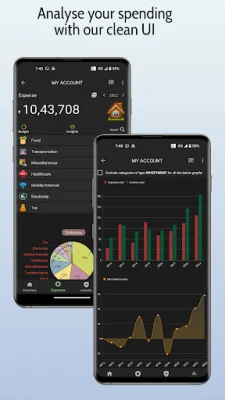
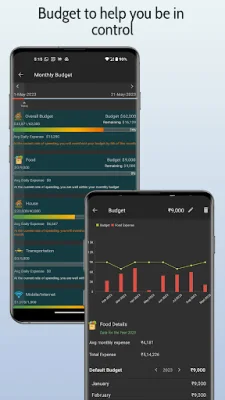
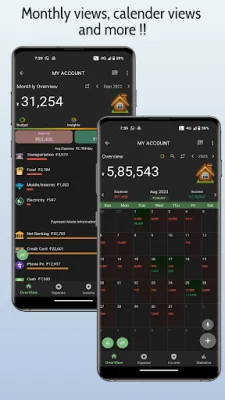
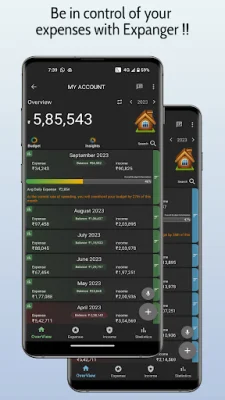
Expanager also offers category-wise and monthly insights, as well as smart budgeting tools. This allows you to track your money and expenses and see if your spending aligns with your monthly budget targets. The app also offers spreadsheet and PDF export options, as well as backup and restore features, including auto backup to Google Drive.
In addition to its useful features, Expanager also has a variety of themes, including a dark theme, and widgets for quick add and direct account preview. It also has a tags feature, which allows you to group transactions under one or multiple tags for better financial monitoring.
The app also offers customization options, such as choosing your preferred currency symbol, expense and income categories, and financial year start. This makes it easy to personalize the app to your specific needs.
Expanager also values your privacy and ensures that all your data is saved only on your phone. The only exception is if you choose to use the auto backup feature to Google Drive. This means that no one else will be able to view your data except for yourself.
With Expanager, you can also view your expense data using Wi-Fi on your PC, where you can edit and sort the data by date, category, or account group. You can also see fluctuations of your accounts on graphs, providing a comprehensive view of your finances.
So why wait? Download Expanager now and take control of your finances by managing, tracking, and planning your budget, expenses, and personal finances with ease.
Rate the App















Popular Apps









