
Export Phone Contacts to Excel
4.2 by SendGroupSMS.com (0 Reviews) July 17, 2026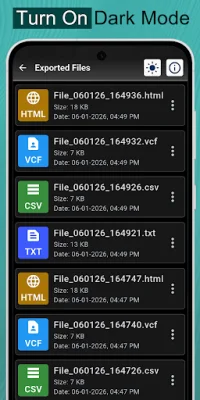
Latest Version
4.2
July 17, 2026
SendGroupSMS.com
Tools
Android
0
Free
com.sendgroupsms.PhonebookContactsBackup
Report a Problem
More About Export Phone Contacts to Excel
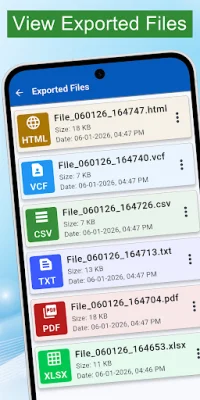
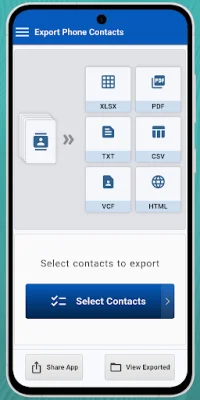
The Export Phone Contacts app is a convenient and efficient tool that allows you to save your mobile phone contacts to various file formats, including MS Excel, PDF, Notepad, CSV, vCard, and HTML. With just a single tap, you can easily export your contacts to Microsoft XLS sheets and have a backup of all your important phone numbers and WhatsApp contacts. This app is quick, free, and reliable, making it the perfect solution for backing up your contacts.
The app offers a range of features to make the backup process simple and hassle-free. You can choose to backup your contacts to your phone's internal memory or SD card, and the app supports all vCard and VCF attributes of your phone's phonebook. With just one button, you can export your entire contacts database and have it sent directly to your email in an easy-to-read Excel format. This format is compatible with all versions of Microsoft Office and Open Office, as well as newer versions of MS Office.
The Export Phone Contacts app also supports the maximum Excel spreadsheet rows limit, ensuring that all your contacts are exported accurately. It is a fast, safe, and easy-to-use tool for backing up your data on Android devices.
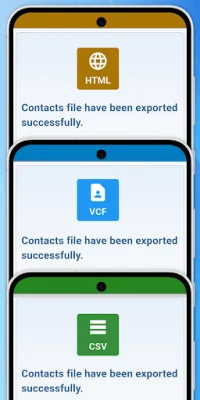
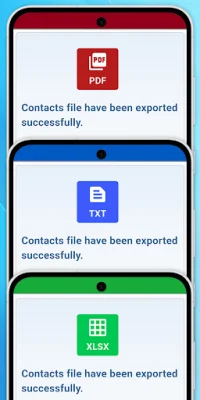
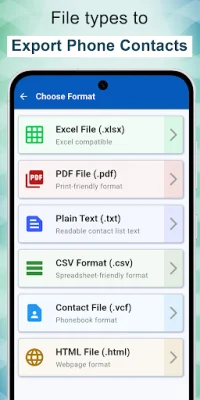
This app supports a variety of file formats, making it versatile and suitable for different needs. You can export your phonebook to XLSX Excel Sheets, PDF, TXT, CSV, vCard, and HTML. These formats are compatible with various applications, including Microsoft Office, Adobe Readers, and website editors, making it easy to access and read your contacts on different devices.
The app also allows you to customize the backup location, so you can choose to store your files on your phone's internal storage or external storage card. This ensures that you never lose your data again and have a backup of your contacts at all times. With the Export Phone Contacts app, you can easily and efficiently manage your contacts and have peace of mind knowing that your data is safe and secure.
Rate the App














Popular Apps









