
File Backup to PC
1.24-free by EastCat (0 Reviews) September 21, 2024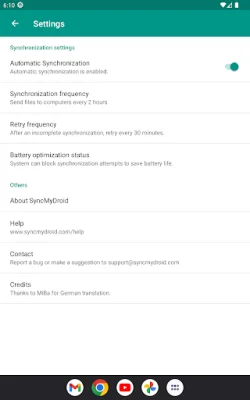
Latest Version
1.24-free
September 21, 2024
EastCat
Tools
Android
0
Free
com.eastcat.autosync.free
Report a Problem
More About File Backup to PC
SyncMyDroid is an application that allows you to easily transfer files from your Android device to your computer over a WiFi connection. This app is designed to make backing up your photos, videos, documents, and other files a simple and hassle-free process. With SyncMyDroid, you can automatically transfer files from your phone or tablet to your computer when both devices are connected to the same network. This means you can keep your sensitive data safe at home instead of sending it to the cloud, as nothing is transferred over the internet.
The Pro version of SyncMyDroid offers additional features, such as the ability to copy files to your laptop using a secure encrypted connection on public WiFi networks, like those found in hotels. You can also restore files from your computer to your Android device using this version.
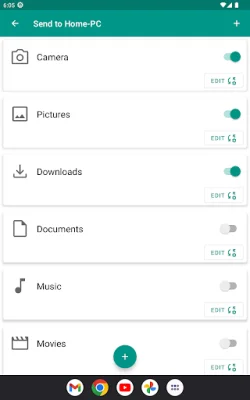
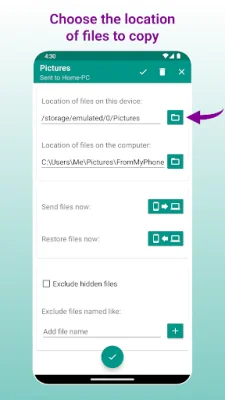
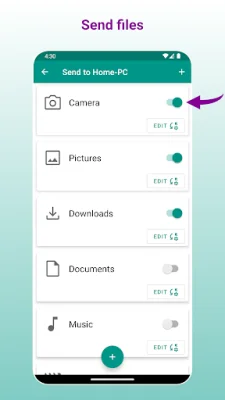
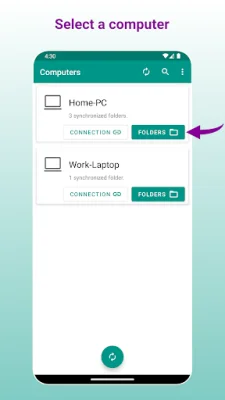
To use SyncMyDroid, you simply need to download and install the app on your computer from the website www.syncmydroid.com. Then, connect your Android device to the same local network as your computer over WiFi. From there, you can choose which folders you want to synchronize, and the app will handle the rest. It's that easy!
So how does SyncMyDroid actually work? The app periodically copies the files you have selected to your computer, or you can manually request a transfer through the app. If you make any changes to a file on your Android device, those changes will also be updated on your computer. And if you delete a file from your Android device, the copy on your computer will remain unless you choose to delete it as well. Additionally, if you modify a copied file on your computer, SyncMyDroid will keep your changes and create a backup copy of the original file next to the modified one.
SyncMyDroid is available in two versions: the free version and the Pro version. The free version can be found on the Google Play Store at https://play.google.com/store/apps/details?id=com.eastcat.autosync.free, while the Pro version can be found at https://play.google.com/store/apps/details?id=com.eastcat.autosync.full. We value your privacy and do not collect any personal data through our app. Our goal is to provide a convenient and secure way for you to transfer files between your Android device and computer without compromising your privacy.
Rate the App









Popular Apps









