
File Manager - File Explorer
1.5.1 by Galixo.AI - Super TopVPN PROXY, MUSIC PLAYER (0 Reviews) December 09, 2025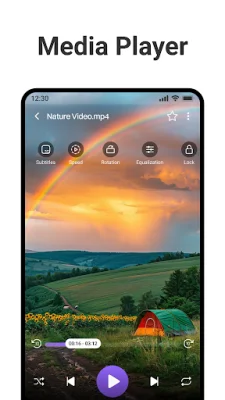
Latest Version
1.5.1
December 09, 2025
Galixo.AI - Super TopVPN PROXY, MUSIC PLAYER
Tools
Android
0
Free
com.file.manager.file.organizer.file.explorer.manage.files
Report a Problem
More About File Manager - File Explorer
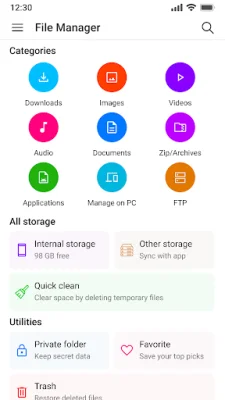
File Explorer is a comprehensive file management application that allows users to easily browse, copy, move, rename, delete, and share files and folders. With features such as multi-select, drag and drop, and file organization, managing files has never been easier. The app also allows users to compress and extract ZIP and RAR files directly within the app.
For added security, File Explorer offers a private folder feature where users can lock sensitive files and folders with password protection. This feature also allows users to hide personal media, documents, and videos from public access.
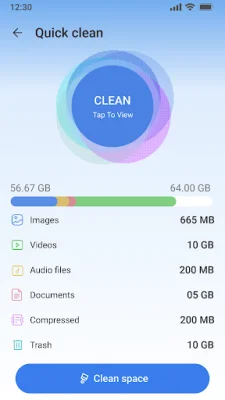
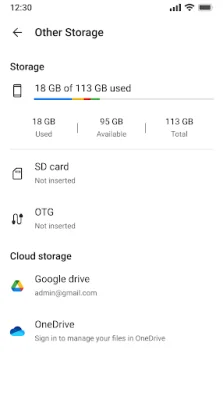
In addition to file management, File Explorer also offers a smart storage cleaner and space manager. This feature helps users free up space by identifying and removing large files, duplicate files, and unused data. Users can also view detailed storage usage for internal memory, SD card, and USB drives, and easily sort and delete unnecessary files.
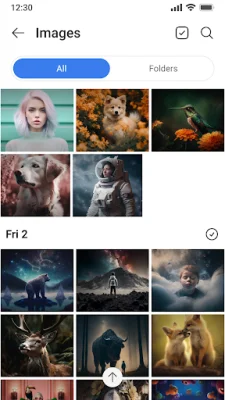
With fast file search and sorting capabilities, users can quickly find files by name, type, or extension. The app also allows users to view and filter recent files, large files, and duplicate files.
File Explorer also offers support for USB OTG and SD cards, allowing users to manage files directly from these external storage devices. Users can easily copy, move, and access files between their device and external storage.
For seamless file transfer, File Explorer offers PC file transfer and FTP access. Users can transfer files wirelessly between their Android device and PC via Wi-Fi file sharing. The app also allows users to connect and manage files from FTP, SFTP, and LAN/SMB networks, and access their Android storage from any browser or FTP client.
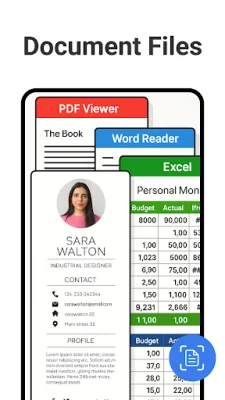
With File Explorer, users can also manage their cloud storage accounts, including Google Drive and Dropbox, all from one app. The app also offers built-in media tools such as a music player, video player, document viewer, and archive manager for a complete file management experience.
With advanced file manager tools like a recycle bin, duplicate file cleaner, app manager, hidden file viewer, and favorites feature, File Explorer offers deep control over storage for both casual and power users. The app's clean and modern interface makes it easy to navigate and perform complex file operations, and users can customize their experience with themes and file filters.
Choose File Explorer for a powerful and easy-to-use file management solution. Download now and take total control of your files on your Android device.
Rate the App














Popular Apps









