

File Manager-Pro
by Polaris Vortex (0 Reviews) April 02, 2026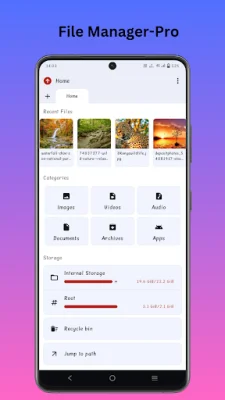
Latest Version
April 02, 2026
Polaris Vortex
Tools
Android
0
$1.00
com.quantexastudios.android.apps
Report a Problem
More About File Manager-Pro
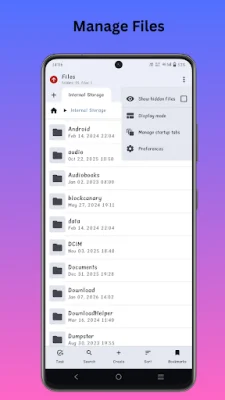
This File Manager is a powerful tool that allows you to take complete control over your files. It is designed to be fast, clean, and user-friendly, making it easy for you to manage your storage efficiently. With a modern interface and advanced capabilities, this file manager offers a smooth and reliable storage experience.
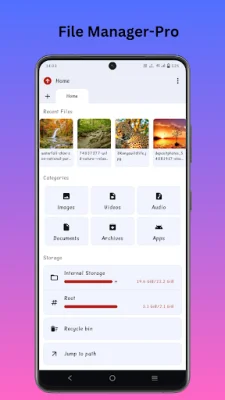
One of the key features of this file manager is its ability to browse folders, organize downloads, manage documents, and view media across various storage devices, including internal storage, SD cards, and USB devices. This means you can access all your files in one place without any interruptions. Additionally, every feature is designed to work efficiently, without any ads or unnecessary background activity.
The file manager also offers a range of useful features to enhance your storage management experience. These include a modern, distraction-free interface, full file operations such as copy, move, rename, delete, and share, and a storage usage breakdown to help you identify large and unused files. It also has an integrated viewer for images, videos, and audio, making it easy to view your media files without having to switch to a different app.
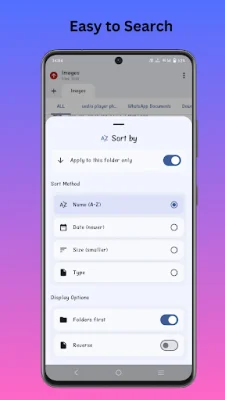
Privacy and security are also prioritized in this file manager, with an offline-first and privacy-focused design. This means you can manage your storage with confidence, knowing that your data is safe and secure. The file manager also has a smart search feature with flexible sorting options, making it easy to find specific files quickly. It supports internal storage, SD cards, and USB OTG, giving you access to all your files, no matter where they are stored.
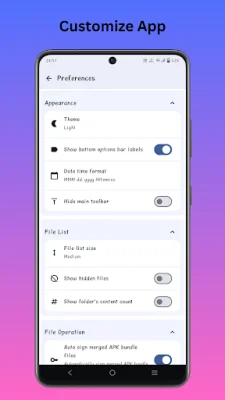
In addition to its practical features, this file manager also offers a visually appealing experience with light and dark themes to choose from. It is optimized for speed and uses minimal resources, ensuring a smooth and efficient performance. For advanced users, there is also an option for root directory access. Overall, this file manager is a must-have for anyone looking for a fast, secure, and thoughtfully designed tool to manage their storage on modern Android devices.
Rate the App














Popular Apps









