
File Send - Share and Transfer
1.1 by COLIFER LAB (0 Reviews) August 05, 2024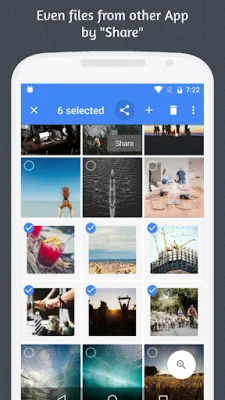
Latest Version
1.1
August 05, 2024
COLIFER LAB
Communication
Android
0
Free
com.colure.app.scan
Report a Problem
More About File Send - Share and Transfer
File Send is an application that allows you to transfer files wirelessly without the need for a bothersome USB wire cable. With this app, you can easily transfer files from one device to another using a simple browser. This means you no longer have to deal with the hassle of finding and connecting a USB cable every time you want to transfer files.
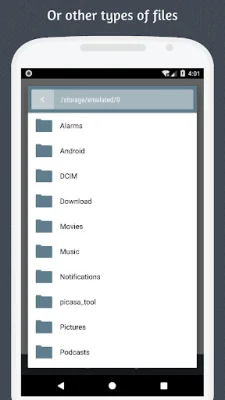
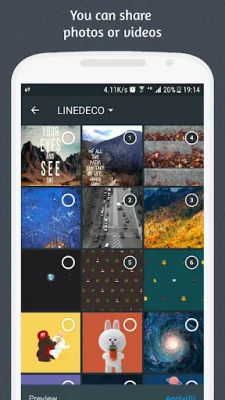
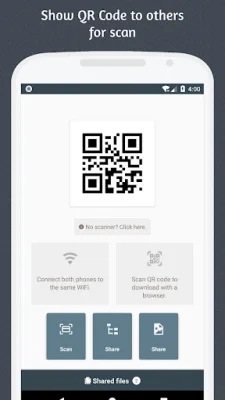
The process of using File Send is incredibly simple. First, you need to make sure that both your phone and the receiving device are connected to the same WiFi network. This ensures a stable and secure connection for file transfer. Next, you open the File Send app and select the files you want to transfer. These files can be of any type, whether they are large or small, media or documents.
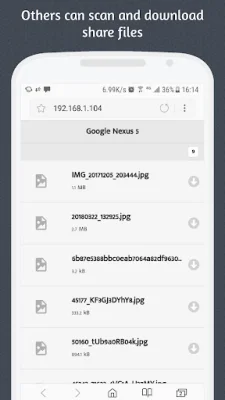
Once you have selected the files, you have two options for transferring them. You can either scan the QR code from the receiving device or simply open a browser and access the URL provided by File Send. This makes it easy to transfer files from any device, whether it is a phone, tablet, or computer. The best part is that you don't need to download any additional software or apps on the receiving device. All you need is a browser.
After accessing the URL or scanning the QR code, you will be directed to a browser page where you can easily download the files. This eliminates the need for any complicated steps or processes. You can simply download the files directly from the browser, making the file transfer process quick and efficient.
File Send is a user-friendly and convenient app that simplifies the process of transferring files. With its wireless connection and easy-to-use interface, you can transfer files between devices in just a few simple steps. So say goodbye to the hassle of USB cables and try out File Send for a seamless and efficient file transfer experience.
Rate the App















Popular Apps









