

flick - Emoticon Keyboard
2.20.2677.103.1048 by IO Inc. (0 Reviews) August 18, 2024




Latest Version
2.20.2677.103.1048
August 18, 2024
IO Inc.
Tools
Android
0
Free
info.justoneplanet.android.inputmethod.japanese
Report a Problem
More About flick - Emoticon Keyboard
【Features of flick】
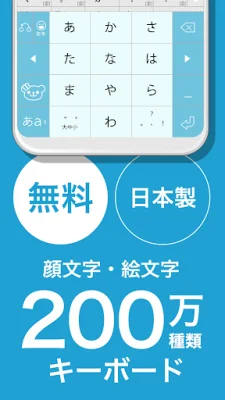
Flick is a Japanese input keyboard application that offers a variety of features to enhance the user's typing experience. These features include AI prediction, a searchable emoticon dictionary, and customizable themes for the keyboard background. With flick, users can easily input emoji and express their feelings through a wide selection of emoticons.
【AI Prediction】
One of the key features of flick is its AI prediction function. When enabled, the AI considers the context of the input sentence and suggests candidates for the user to choose from. This makes typing more efficient and comfortable, especially for those who are not used to using flick operations on smartphones.
【Searchable Emoticons】
Flick also offers a vast collection of emoticons that can be easily searched by keyword. Users can simply touch the emoticon they want to use and it will be inserted into their text. The app is constantly updated with new and topical emoticons, ensuring that users have access to the latest and most relevant options.
【Customizable Themes】
In addition to its functional features, flick also allows users to personalize their keyboard background with 90 different color themes. These themes can include not only images but also videos, which can be trimmed and shared. Users can also control the volume and mute the video background.
【How to Use flick】
To start using flick, simply download the app and follow the easy set-up process. Once enabled, users can switch to flick as their default keyboard and start enjoying its features.
【About Permissions】
Flick may require certain permissions, such as modifying or deleting the contents of USB devices or SD cards, in order to back up data. It also requires access to the vibrator for haptic feedback and network communications for searching emoticons and AI prediction.
【About Foreground Service】
The foreground service in flick handles the processing, uploading, and saving of images and videos for the keyboard background. This ensures a smooth and seamless experience for users.
【About Information Displayed During Installation】
During installation, users may see a message about the collection of data by flick. This is a standard message for all keyboard applications and does not indicate any specific risk. In fact, flick does not collect any private data and only sends text to the AI servers in Japan for prediction purposes.
【Open Source Software】
Flick is built on mozc, an open source software developed by Google. This ensures a high-quality and reliable user experience.
Rate the App















Popular Apps









