

Floating Assistant
2.0.2 by System monitor tools lab - Cpu Ram Battery (0 Reviews) September 24, 2024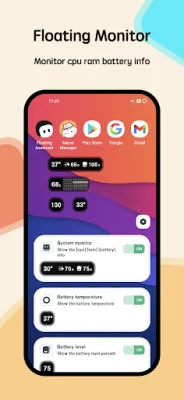

Latest Version
2.0.2
September 24, 2024
System monitor tools lab - Cpu Ram Battery
Tools
Android
0
$2.49
com.glgjing.floating.apps.assistive.touch.pro
Report a Problem
More About Floating Assistant
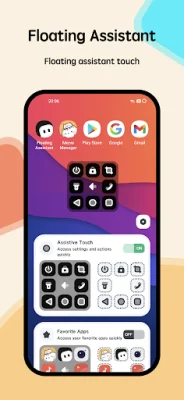
Assistive Touch is a helpful tool for Android devices that provides easy access to various features and functions. It appears as a floating window on the screen, allowing users to quickly navigate their phone without having to use physical buttons. This is especially useful for larger screen devices where reaching the physical buttons may be difficult.
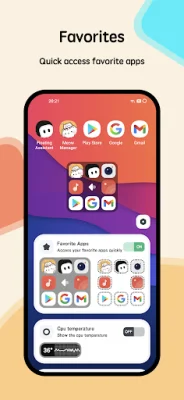
The app offers virtual buttons for home, back, recent, and volume control, making it easy to perform these actions with just a tap. It also has a one-tap lock screen and phone call feature, as well as the ability to take screenshots and adjust screen brightness and rotation. Users can also customize the floating window to include their favorite apps for quick access.
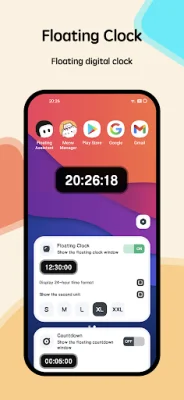
In addition to these features, Assistive Touch also includes a floating clock and countdown function. This allows users to have a digital clock displayed on top of other apps, making it useful for full-screen apps. The clock can be dragged to different positions on the screen and can be set to display in 24-hour or second format. Users can also save the position of the clock and choose to show or hide the seconds.
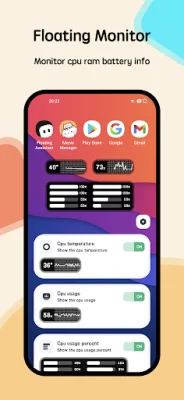
The app also includes a floating monitor that displays real-time information about the device's CPU temperature, battery temperature, and RAM usage. This is particularly useful for gamers who want to keep an eye on their device's performance while playing full-screen games.
To use Assistive Touch, users simply need to open the app and grant permission for it to draw/display over other apps and access accessibility features. They can then customize their preferred shortcuts and appearance for the floating window. The app assures users that it does not collect any personal or sensitive data and only performs actions that the user initiates.
In summary, Assistive Touch is a versatile and convenient tool for Android devices that offers a range of features to make navigating and using the phone easier. Its floating window and customizable options make it a useful addition for any Android user.
Rate the App















Popular Apps









