Fractions School Calculator
by Pantelis Bouboulis (0 Reviews) November 15, 2025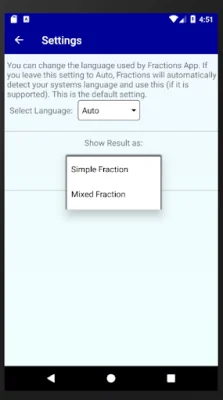
Latest Version
November 15, 2025
Pantelis Bouboulis
Education
Android
0
Free
fraction.calculator.school.fractions
Report a Problem
More About Fractions School Calculator
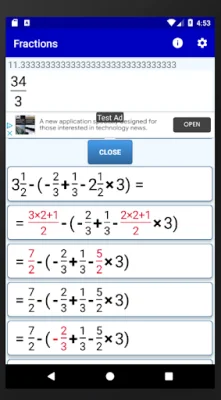
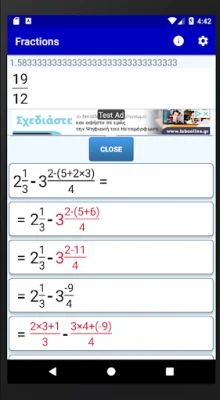
This application is designed for students and teachers who frequently work with fractions and math problems. It offers a variety of features to assist with fraction operations, simplification, and conversion between fractions and decimals. The calculator also provides step-by-step solutions for all fraction computations, making it a useful tool for studying and understanding math concepts.
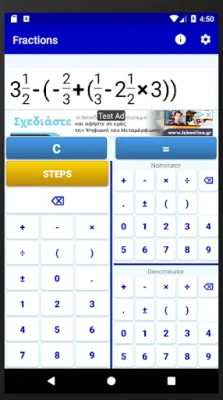
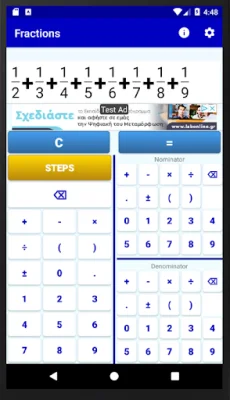
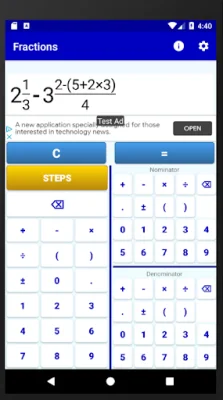
The fraction calculator has three number fields for inputting fractions, integers, operators, and parentheses. The leftmost field is for the integer part of the fraction, while the two fields on the right are for the numerator and denominator. This allows for easy input of mixed fractions, such as 5 1/2, by entering the numbers in the correct order.
To compute an expression with fractions, simply enter the expression and press the equals button. The calculator will provide the result as a fraction, mixed number, and decimal approximation. It can also simplify fractions and convert between mixed and improper fractions.
The calculator also has the ability to convert decimal numbers to fractions and vice versa. This can be done by entering the decimal number and pressing the equals button. The result will be shown as both a fraction and a decimal approximation.
To customize the way the calculator displays results, users can access the settings by clicking on the gear icon. This allows for the selection of how the result is shown on the screen, such as in mixed or simple fractions. This feature can be especially helpful for students who need to show their work in a specific format for their math classes.
In summary, this fraction calculator is a versatile and user-friendly tool for anyone working with fractions and math problems. Its various features make it a valuable resource for both students and teachers, providing assistance with fraction operations, simplification, and conversion between fractions and decimals.
Rate the App





![Kanji Memory Hint 3 [English]](https://appvaultus.s3.amazonaws.com/images/17757588693231276.webp)





Popular Apps









