

Ftp Server
1.32 by The Olive Tree (0 Reviews) August 16, 2024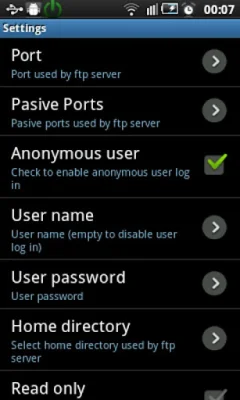

Latest Version
1.32
August 16, 2024
The Olive Tree
Tools
Android
0
Free
com.theolivetree.ftpserver
Report a Problem
More About Ftp Server
If you are in need of an FTP client, the FileZilla client is highly recommended. It can be downloaded from http://filezilla-project.org/. However, if you are using a Windows operating system, you can also use the file explorer. The free version of this application does not support landscape screen mode.
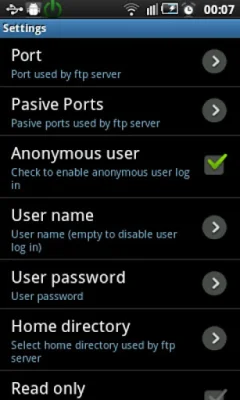
The features of this application include the ability to use any network interface on your device, such as WIFI, Ethernet, Mobile network, and USB. It also allows for anonymous user access, which can be disabled, as well as the option for one FTP user, whose name and password can be changed. The home directory can be set as the root directory and there is also a read-only mode available. The application supports both passive and active modes and has the ability to show hidden files. Additionally, users can customize their home folder and choose to run the server as a foreground service. There is also an energy save mode available. The application supports multiple languages, including English, Spanish, Romanian, French, Italian, Hungarian, German, Chinese, Portuguese, Korean, Russian, and Catalan.
The application also has Intents, which are actions that can be performed by other applications. These include starting and stopping the FTP server. There are also plans to add the ability to run the server as a root user for rooted devices, as well as TLS/SSL support for secure connections.
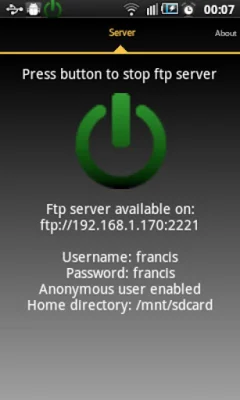
If you need to connect to the FTP server using a USB cable, there are a few steps to follow. First, you must enable USB debugging on your phone by going to Settings->Applications->Development. Then, connect your phone to your PC using a USB cable and start the adb server on your PC. Next, you will need to forward the necessary ports from your PC to your phone. Once this is done, you can start the FTP server on your phone and connect to it using an FTP client on your PC. However, please note that in this mode, only passive mode is available.
The permissions needed for this application include INTERNET, ACCESS_NETWORK_STATE, ACCESS_WIFI_STATE, WRITE_EXTERNAL_STORAGE, and WAKE_LOCK. These permissions allow the server to open network communication with FTP clients, write received files on the SD card, and keep the phone awake while the server is running. The libraries used by this application include Apache ftp server v1.0.6 and Android viewflow pakerfeldt. Special thanks is also given to various individuals for their contributions to the application.
Rate the App















Popular Apps









