
Gmail
by Google LLC (0 Reviews) July 24, 2024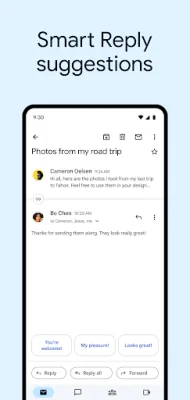


Latest Version
July 24, 2024
Google LLC
Communication
Android
0
Free
com.google.android.gm
Report a Problem
More About Gmail
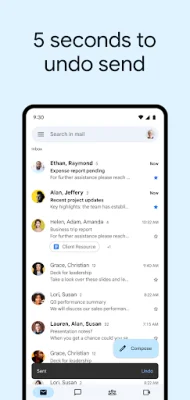
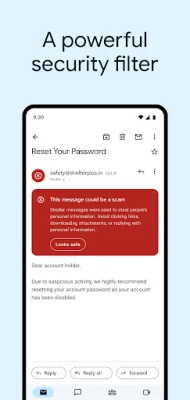
The Gmail app, part of Google Workspace, offers a variety of features to help you stay organized and connected. With this app, you can easily block spam, phishing, and dangerous links from reaching your inbox, ensuring a safer email experience. Additionally, you can undo sent emails to avoid any embarrassing mistakes and switch between multiple accounts seamlessly.
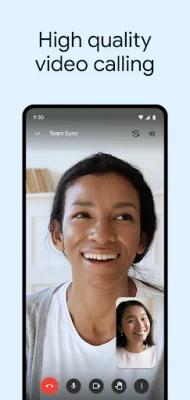
One of the key features of the Gmail app is the ability to connect and collaborate with others. You can turn on Google Chat to communicate with coworkers, create and join Spaces for organizing projects and topics, and enjoy high-quality video calls with Google Meet. This makes it easier to get work done as a team, without having to switch between different apps.
The app also offers helpful tools to increase productivity, such as Smart Reply suggestions that allow you to quickly respond to emails, and the ability to attach and share files with ease. You can also stay on top of new emails with fast notifications and easily search through your inbox with instant results and spelling suggestions.
Gmail also allows you to organize your emails by labeling, starring, deleting, and reporting spam. You can swipe to quickly archive or delete emails, and read your emails in threaded conversations for a more streamlined experience. The app also offers auto-complete for contact names from your Google contacts or phone, making it easier to address emails.
For those who use Wear OS watches, the Gmail app offers a complication and tile feature, allowing you to quickly view your emails without having to open the app. This makes it convenient to stay updated on important emails while on the go.
To learn more about Google Workspace and its features, you can visit their website. You can also follow Google Workspace on social media platforms such as Twitter, LinkedIn, and Facebook for updates and tips on how to make the most out of the Gmail app.
Rate the App













Popular Apps









