
Go Power! Connect
1.7.12 by Go Power! Mobile Power Solutions (0 Reviews) August 18, 2024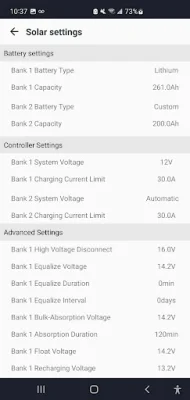
Latest Version
1.7.12
August 18, 2024
Go Power! Mobile Power Solutions
Tools
Android
0
Free
com.gpelectric.gopowermonitor
Report a Problem
More About Go Power! Connect
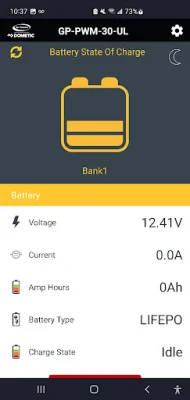
The Go Power! Connect application has recently been updated in February 2022 to address Bluetooth issues with the GP-PWM-30-UL solar charge controller. These fixes can be manually updated if auto-update is not enabled. One of the main fixes is for the "State of Charge" display, which was not functioning properly for the GP-PWM-30-UL. For further support and setup guides, users can visit the Go Power! YouTube playlist or the support page on their website. They can also reach out to tech support via email.
In December 2020, the Go Power! Connect app was updated to address connection issues with the GP-PWM-30-UL. The app now also properly displays battery type when it has been changed and has added support for the GP-RVC-10-MPPT and GP-RVC-30-MPPT solar charge controllers. Other improvements and bug fixes were also made.
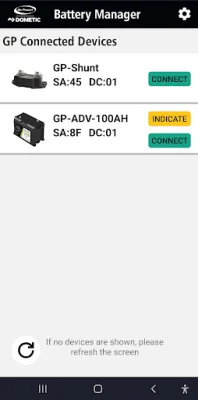
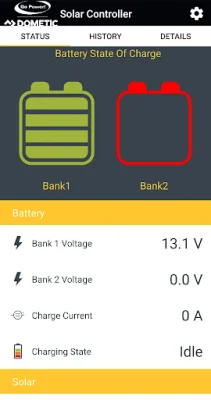
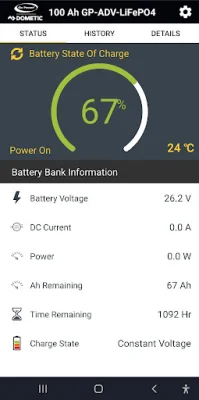
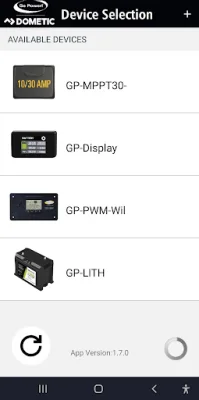
The Go Power! Connect app allows users to stay connected to their mobile solar system from their cell phone or tablet. It is compatible with Go Power! Bluetooth enabled products and allows users to view battery charging information, set their charge controller remotely, and monitor solar performance.
The GP-PWM-30-UL is a 30-amp PWM solar charge controller that can be controlled and monitored through the Go Power! Connect app. Users can review solar charging current, activate Max Boost, view battery voltage, check battery state of charge, and set battery type and charging profile.
The newest Go Power! solar charge controllers, the 10 and 30-amp MPPT (RV-C), also have Bluetooth capabilities through the optional GP-RVC-R remote. This allows users to control and monitor their solar system without being connected to an RV-C system. Features include reviewing solar charging current, viewing battery voltage, checking battery state of charge, and setting battery type and charging profile.
Rate the App















Popular Apps









