

Google Password Manager
2025.05.09.799476580.00-release by Google LLC (0 Reviews) November 17, 2025
Latest Version
2025.05.09.799476580.00-release
November 17, 2025
Google LLC
Tools
Android
0
Free
com.google.android.apps.credentialmanager
Report a Problem
More About Google Password Manager
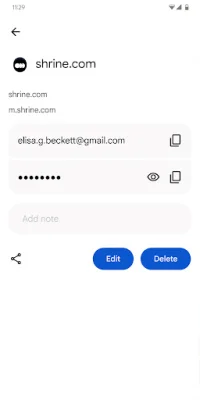
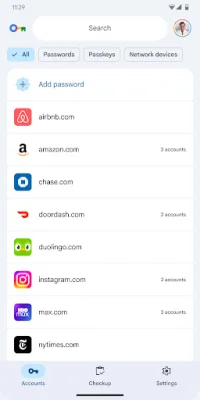
Google Password Manager is a built-in application that comes with your Android phone. It is designed to securely store your passwords and make it easier for you to sign in to websites and apps. With this tool, you no longer have to worry about remembering or reusing passwords. It is available on all platforms, including Chrome and Android, making it accessible on any device.
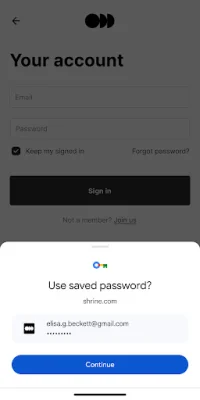
One of the main benefits of using Google Password Manager is that it makes signing in effortless. You no longer have to go through the hassle of trying to remember multiple passwords for different sites and apps. Instead, you can rely on this tool to securely store and manage your passwords, allowing you to sign in with just a few clicks. This not only saves you time but also eliminates the risk of forgetting or losing your passwords.
Another advantage of Google Password Manager is its integration with Chrome and Android. This means that you can access your saved passwords on any device that has these platforms, making it convenient for users who switch between devices frequently. Additionally, the tool also offers a feature that suggests strong and unique passwords for your accounts, ensuring maximum security for your online accounts.
Google Password Manager is a reliable and secure option for managing your passwords. It uses advanced encryption methods to protect your data, making it nearly impossible for hackers to access your information. This gives users peace of mind knowing that their passwords are safe and secure. Furthermore, the tool also offers the option to use biometric authentication, such as fingerprint or face recognition, for added security.
In conclusion, Google Password Manager is a user-friendly and efficient tool for managing passwords. It eliminates the need to remember or reuse passwords, making signing in effortless. Its integration with Chrome and Android, as well as its strong security measures, make it a top choice for users looking to simplify their online experience and keep their accounts secure.
Rate the App















Popular Apps









