
Google Pixel Watch
2.5.0.652251118 by Google LLC (0 Reviews) August 06, 2024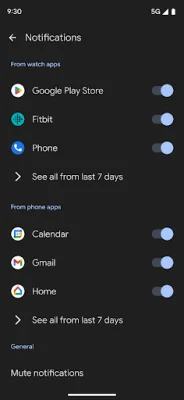
Latest Version
2.5.0.652251118
August 06, 2024
Google LLC
Communication
Android
0
Free
com.google.android.apps.wear.companion
Report a Problem
More About Google Pixel Watch
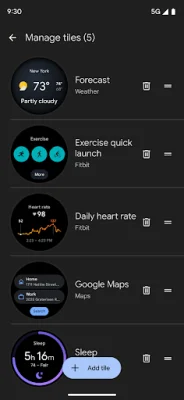
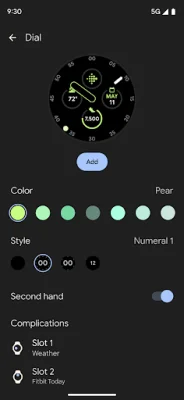
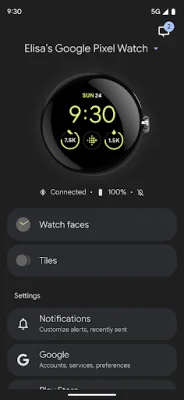
The Google Pixel Watch app offers a variety of features that allow users to personalize and manage their smartwatch experience. With this app, users can customize their watchfaces, choosing from a range of designs and styles to suit their preferences. They can also manage the tiles on their watch, arranging them in a way that is most convenient for them.
One of the key functions of the Google Pixel Watch app is the ability to customize alerts and notifications. Users can choose which apps and accounts they want to receive notifications from, as well as the type of alerts they want to receive. This allows for a more tailored and streamlined experience, ensuring that users only receive the most relevant and important notifications.
In addition to managing notifications, the app also allows users to manage their Google apps and accounts. This includes features such as syncing contacts and calendars, as well as accessing and managing Google services like Gmail and Google Maps. This integration with Google's ecosystem makes the Pixel Watch app a convenient and efficient tool for users.
For those in selected countries and carriers, the app also offers the ability to set up their mobile carrier directly from the app. This eliminates the need for manual set up and provides a seamless experience for users. More information about this feature can be found at g.co/pixelwatch/networkinfo.
Privacy is also a top priority for the Google Pixel Watch app. Users can manage their privacy settings directly from the app, giving them control over what data is shared and how it is used. This ensures that users can feel confident and secure while using their smartwatch. Currently, the app is only available in a select number of countries, including the United States, Canada, Australia, Japan, Germany, France, United Kingdom, Ireland, and Taiwan.
Rate the App















Popular Apps









