Gravity Screen - On/Off
3.32.0.0 by Plexnor (0 Reviews) December 08, 2025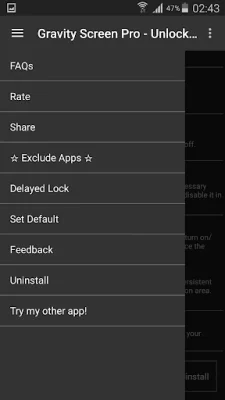
Latest Version
3.32.0.0
December 08, 2025
Plexnor
Tools
Android
0
Free
com.plexnor.gravityscreenofffree
Report a Problem
More About Gravity Screen - On/Off
The most popular screen on/off app is a highly rated and reviewed application that allows users to easily control their phone's screen. It has been featured and praised by various tech websites such as LifeHacker, MakeUseOf, TheNextWeb, and Gizmodo. This app is designed to make it easier for users to turn their screen on and off, with a variety of features that cater to different needs and preferences.
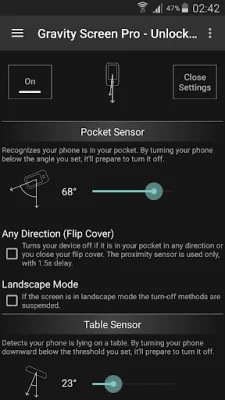
One of the key features of this app is the Pocket Sensor, which automatically turns off the screen when the phone is placed in the user's pocket. This helps to save battery life and prevent accidental touches on the screen. Another useful feature is the Table Sensor, which detects when the phone is lying on a table and turns off the screen if it is not in use. This is especially helpful for those who often leave their phone on a table and forget to manually turn off the screen.
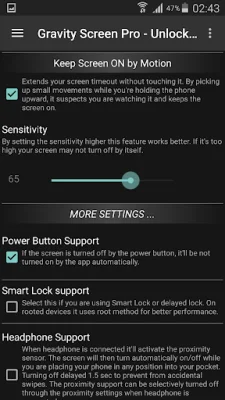
The app also offers the option to turn the screen on by motion, allowing users to simply move their phone to wake it up. This feature can be customized to only work when the screen is facing up, preventing accidental wake-ups. Additionally, the app has a "Keep Screen On by Motion" feature, which keeps the screen on while the user is actively using it. This feature relies on small hand movements and is a great option for those who frequently use their phone while watching videos or reading.
For those with devices running on Lollipop, the app offers Smart Lock support as a workaround to make the feature work properly. It also has a Locale plug-in for Tasker, Llama, and other similar apps, allowing for even more customization and automation.
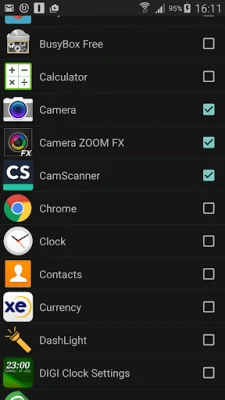
Some additional features are available through in-app purchases, such as better performance, widgets, and wider ranges for the Rise to Wake Timeout and Table Sensor. The app also has a "Suspend in Landscape mode" option and the ability to exclude certain apps from its features.
In terms of battery usage, the app claims to have a minimal impact, with only about 6% extra consumption on the test device. However, this may increase if the Rise to Wake feature is used frequently. To save energy, the app recommends keeping the phone face down when not in use.
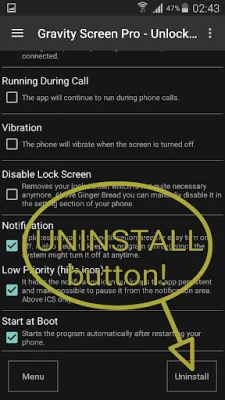
When it comes to uninstalling the app, users are advised to use the Uninstall button within the app itself, as the Android system does not allow for normal uninstallation. The app also requires Device Administrator permission and Accessibility services to function properly.
In summary, this highly rated screen on/off app offers a variety of features to make it easier for users to control their phone's screen. With its various sensors and customizable options, it caters to different needs and preferences. Its minimal battery impact and compatibility with other apps make it a popular choice among users.
Rate the App













Popular Apps









