

GS Auto Clicker - Auto Tap
1.1 by Tomas Yadiel (0 Reviews) August 21, 2024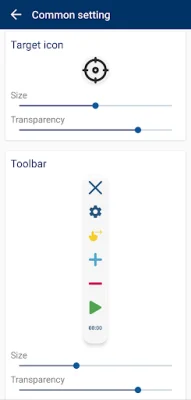
Latest Version
1.1
August 21, 2024
Tomas Yadiel
Tools
Android
0
Free
com.gsautoclicker.autoclick
Report a Problem
More About GS Auto Clicker - Auto Tap
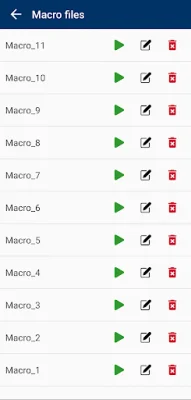
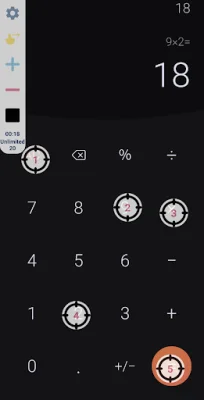
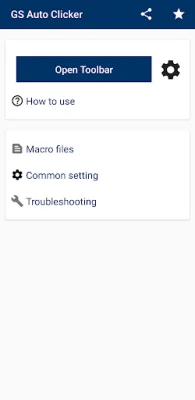
GS Auto Clicker is a user-friendly app that helps you automate clicking on your device. With just a tap of the replay button on the toolbar, the app will assist you in completing repetitive clicking tasks. It even allows you to record sequences of clicks on different parts of the screen, which can be used repeatedly. This feature is especially useful for tasks that require multiple clicks in the same spot.
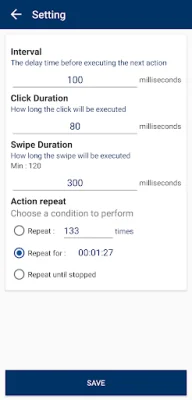
The app offers various customization options to suit your needs. You can choose to continue clicking until you manually stop it or set a specific number of clicks. Additionally, you can adjust the interval between clicks in milliseconds. This allows for more precise and efficient clicking.
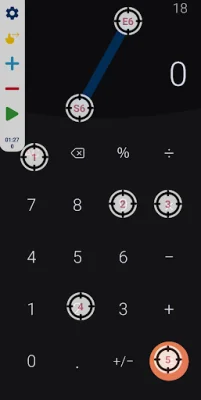
One of the key features of GS Auto Clicker is its support for multiple click points and swipes. This means you can set the app to click on different areas of the screen, making it even more versatile and useful for various tasks.
The app also allows you to adjust the size and opacity of the operator GUI, giving you more control over the appearance of the app. You can also set parameters for each click, such as delay, touch time, and number of repetitions. This level of customization makes GS Auto Clicker a powerful tool for automating clicking tasks.
It's worth noting that the app does not require root access, making it accessible to a wider range of users. However, it does require authorization for the Accessibility Service to achieve autoclicking. This is a common approach used by many apps to implement core functionality such as clicks and swipes. Rest assured, the app does not collect any private data through this service. GS Auto Clicker is available for Android 7.0 or above, making it compatible with most devices.
Rate the App















Popular Apps









