

Halkbank Mobil
5.1.6 by Türkiye Halk Bankası A.Ş. (0 Reviews) September 02, 2024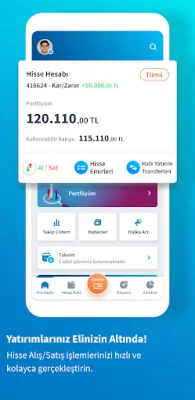
Latest Version
5.1.6
September 02, 2024
Türkiye Halk Bankası A.Ş.
Finance
Android
0
Free
com.tmobtech.halkbank
Report a Problem
More About Halkbank Mobil
If you are a customer of Halkbank but do not have a digital password, you can easily obtain one through the "Get/Forgot Digital Password" option. This can be done by providing either your credit or debit card information or your T.R. ID card. Before logging into the application, there are various features available to you such as withdrawing and depositing money from ATMs, performing QR code transactions, and accessing financial tools and market information. You can also locate the nearest branches and ATMs through the application.
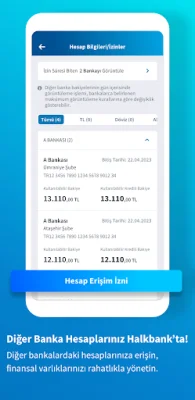
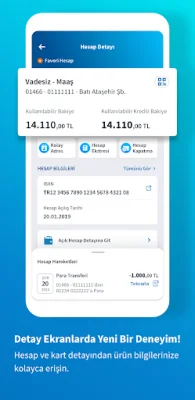
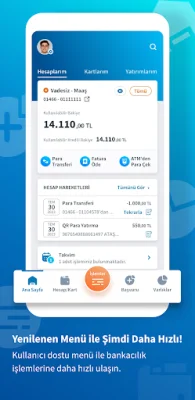
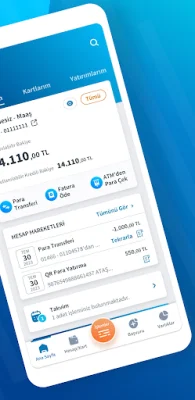
Once you have logged into the application, you will have access to a new user interface where you can view summary information about your accounts, assets, debts, credit cards, loans, and investment portfolio. The application also includes a calendar feature to help you plan and track your financial transactions. You can also easily list and transfer money from your other bank accounts.
As a Halkbank customer, you can also apply for a personal loan and use your approved loan instantly. The application also allows you to check your HGS balance, top-up quickly, and pay your traffic fines. You can also apply for an Overdraft Account and define your approved limit to your account. Additionally, you can apply for insurance and view your account activities, perform various transactions such as EFT, Money Order, and FAST, and pay your bills and taxes through the application.
If you are not a Halkbank customer, you can become one quickly and easily through a video call using the "Become a Customer" option and obtain your Halkbank Digital password. The application can be downloaded to your smartphone, allowing you to start your transactions immediately. You can also provide feedback and suggestions through the "Contact Us" page on Halkbank.com.tr or their social media accounts.
It is important to note that after installing the application on your mobile phone, you will need to complete the activation process by following the directions provided. Once activated, you can easily and securely perform your banking transactions through the application. For more information on the permissions obtained by Halkbank Mobil, you can visit the link provided in the application description.
Rate the App














Popular Apps









