

Handelsbanken Digital ID
by Svenska Handelsbanken AB (publ) (0 Reviews) October 03, 2024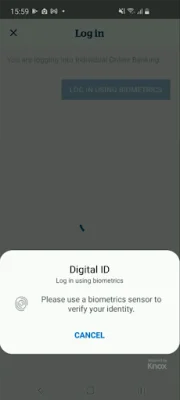
Latest Version
October 03, 2024
Svenska Handelsbanken AB (publ)
Finance
Android
0
Free
com.handelsbanken.mobile.android.digitalid
Report a Problem
More About Handelsbanken Digital ID
Digital ID is a convenient and secure application that allows you to access your online banking, make payments, and manage your security settings all in one place. With this app, you can easily log in to your online banking account, create and approve payments, and authorize changes to your security settings. This makes managing your finances and protecting your account easier and more efficient.
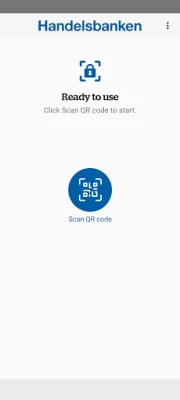
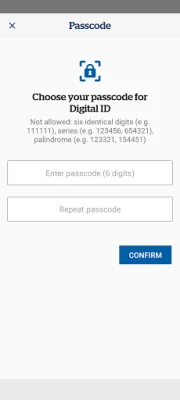
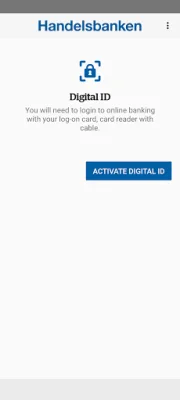
To get started with Digital ID, you will need to download the app and activate it. This can be done by following a few simple steps. First, log in to your online banking account using your card reader with cable. Then, click on the 'Mobile Banking' option in the top menu and select 'Activate Digital ID' from the Quick Links section. From there, just follow the on-screen instructions to complete the activation process.
In order to use Handelsbanken Digital ID, you must be a customer of Handelsbanken UK and be registered for either Individual or Corporate Online Banking. This ensures that only authorized users have access to the app and your account information. If you are not currently registered for online banking, you can easily do so by visiting the Handelsbanken website or contacting Customer Support for assistance.
With Digital ID, you can have peace of mind knowing that your online banking is secure and easily accessible. No more fumbling with multiple login credentials or worrying about unauthorized access to your account. This app streamlines the process and puts control back in your hands. So why wait? Download Digital ID today and start managing your finances with ease and confidence. For more information on how to get started, visit the Handelsbanken website or contact Customer Support for assistance.
Rate the App















Popular Apps









