

Health Plugin for Wear OS
by amoledwatchfaces™ (0 Reviews) September 25, 2024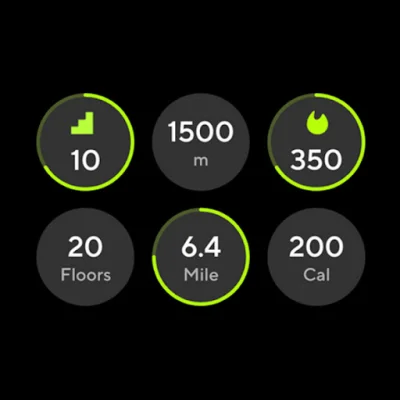
Latest Version
September 25, 2024
amoledwatchfaces™
Tools
Android
0
$1.79
com.weartools.hscomplications
Report a Problem
More About Health Plugin for Wear OS
This application is designed to work with specific devices, including Samsung Galaxy Watch4, Watch5, and Watch6, as well as Google Pixel Watch and Pixel Watch 2. If your device has the latest December 2023 security patch, you can enable native complications without needing to keep the app running in the background.
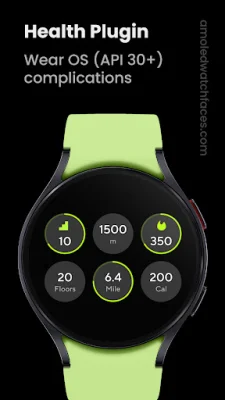
The main feature of this app is the ability to customize complications for distance moved, steps, floors climbed, and calories burned. If you find that the data from your Samsung Health app is not matching up with the data from this app, you may need to disable activity tracking in the S Health mobile app. There is a helpful article available to guide you through this process.
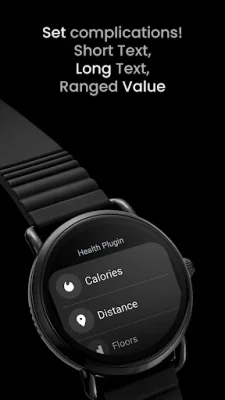
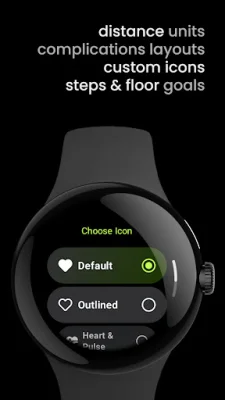
With this app, you can set custom complications for distance moved, steps, floors climbed, and calories burned, as well as view your activity results. You can also choose to have the app open when you tap on a complication, and you have the option to customize the layout of SHORT_TEXT complications. Additionally, you can set the units for distance moved and set goals for steps or floors climbed for the RANGED_VALUE complication type.
To use this app, you will need to open the app's user interface and give it permission to recognize your activity. Then, you can long-press the center of your watch face, customize it, and add one of the available complications. Be sure to wear your watch while doing any activity, and after some time, your activity data will be available to view on your watch face or in the app's user interface. You can also choose to set the distance units and the app to open on complication tap, as well as manually set the layout for SHORT_TEXT complications.
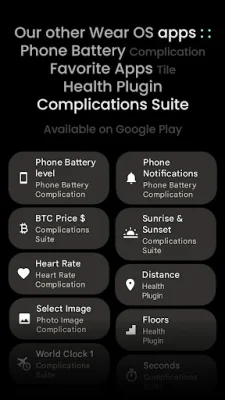
This app supports three types of complications: SHORT_TEXT, LONG_TEXT, and RANGED_VALUE. The RANGED_VALUE complication has specific ranges for distance, calories, and floors. There are also other complication apps available, such as Complications Suite, Phone Battery, and Favorite Apps Tile. You can also check out the developer's watch face portfolio for more options.
Overall, this app offers a convenient and customizable way to track your activity and view your results on your watch face. It is important to note that this app is only compatible with certain devices and may require some adjustments to your device's settings. However, with its various features and supported complication types, it can be a useful tool for those looking to monitor their activity on their smartwatch.
Rate the App














Popular Apps









