
Home Budget with Sync
3.4.0 by Anishu, Inc. (0 Reviews) October 06, 2024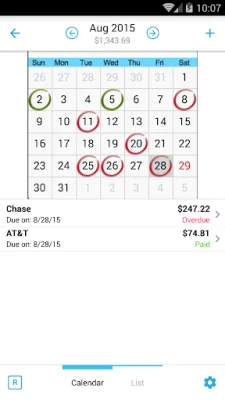
Latest Version
3.4.0
October 06, 2024
Anishu, Inc.
Finance
Android
0
$5.99
com.anishu.homebudget.full
Report a Problem
More About Home Budget with Sync
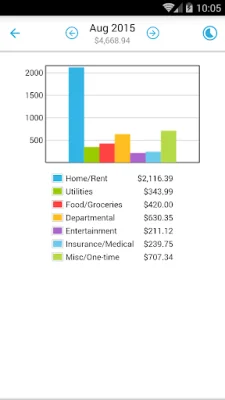
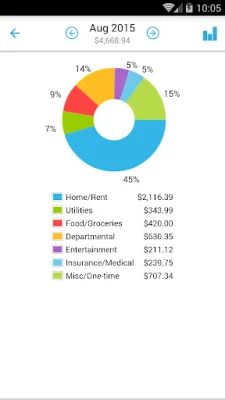
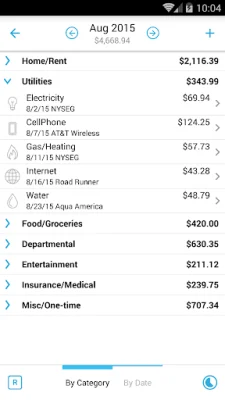
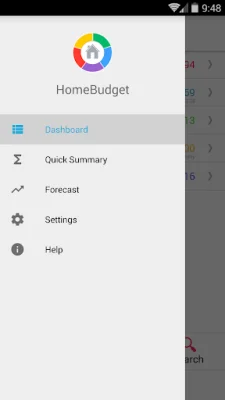
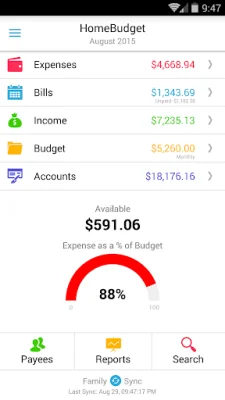
HomeBudget is a free application that helps you track your expenses, income, bills, and account balances. It offers budgeting support and allows you to analyze your financial data through charts and graphs. One of its key features is its integration, where bills can be turned into expenses and adjust account balances simultaneously. Another unique feature is Family Sync, which allows multiple devices within a household to exchange financial information and work together on a single budget. The app has various features for managing expenses, such as creating, editing, and deleting expenses and recurring expenses. You can also browse expenses by month or category and attach photo images of receipts. The income section allows you to create, edit, and delete income entries and associate them with an account. Bills can also be managed, with the option to create, edit, and delete bills and track payments by payee. HomeBudget also has features for budgeting, including creating, editing, and deleting expense categories and setting a budget for each category. You can also classify expenses into fixed, variable, and discretionary categories to calculate your disposable income. The app also supports various types of accounts, such as checking, savings, credit, and cash, and allows you to view transactions and transfer between accounts. In terms of reporting, HomeBudget offers trend charts for expenses, budget, and income for the last six months, as well as pie and bar charts for expense breakdowns. You can also export data and reports via email or WiFi. The Family Sync feature allows for automatic syncing of multiple devices within a household, so everyone can work within the same budget. Other features of HomeBudget include a home screen widget for quick expense entry, backup and restore options, password protection, and the ability to upload your own list of category icons. The app also follows the locale/region setting on your device, showing appropriate date and currency symbols. To learn more about HomeBudget, you can visit their website to see screenshots and download the user guide. Give it a try and see how it can help you manage your finances more efficiently.
Rate the App














Popular Apps









