
iCall OS 26 - Phone Dialer
by H V Patel (0 Reviews) November 06, 2025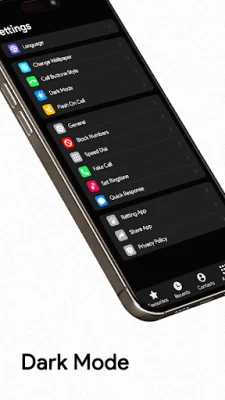
Latest Version
November 06, 2025
H V Patel
Communication
Android
0
Free
com.smart.contactsdialer.app
Report a Problem
More About iCall OS 26 - Phone Dialer
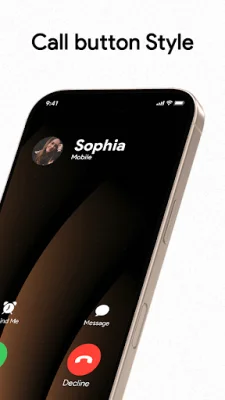
iCall OS 26 - Phone Dialer is a free app that brings the user a unique and customizable experience for their Android phone. With a theme inspired by the popular OS 12&13 and Phone 14 & Phone 11s max, this app offers a sleek and modern design for the dialing screen and phonebook. It combines all the necessary features of a contacts, dialer, and call log app into one convenient package. Users can easily download the app and transform their Android phone into a new and stylish device.
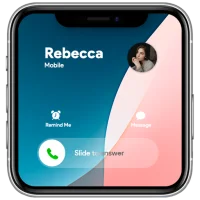
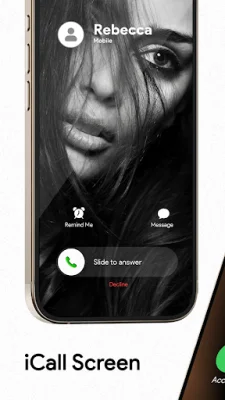
The iCall OS 26 app offers a variety of cool features that allow users to personalize their phone dialer and dialpad. They can slide to answer calls, change call screen backgrounds, set ringtones, block unwanted users, and choose their preferred SIM card. The full-screen caller ID, dialer, and dialpad are all designed in the iCall style, giving users a unique and enjoyable experience on their Android device.
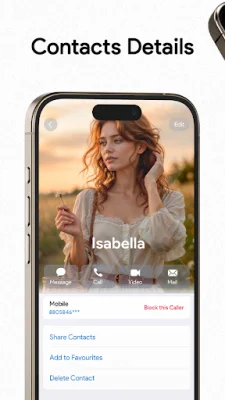
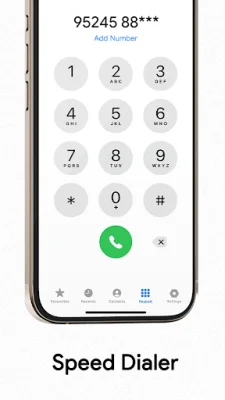
One of the standout features of iCall OS 26 is its advanced dialer T9 search keypad. This allows users to easily search and manage their contacts, view recent calls, add favorites, and even merge calls with a conference call. They can also swap calls and split from a conference, making it a versatile and efficient tool for managing calls.
The app also offers a range of customization settings, including the ability to change wallpapers and ringtones, block unwanted calls, and customize the accept and decline buttons for incoming and outgoing calls. Users can also enjoy the fantastic features of the OS 15 call screen, such as jumping on a conference call or customizing their phone dialer screen.
Other notable features of iCall OS 26 include a slide to answer button, dual-SIM support, fake call scheduling, flash on call, dark mode, and a lightweight design. The app is only 10 to 15 MB in size, making it easy to use on any device. After hanging up a call, users can also access the call back screen to recall, send a message, block, or make a note of the call. They can also manage conference calls by merging, splitting, and adding participants.
Best of all, iCall OS 26 is completely free to use. With its user-friendly interface and a wide range of features, this app is a must-have for anyone looking to enhance their Android phone's dialer and call management experience. Download iCall OS 26 today and discover the possibilities for yourself!
Rate the App















Popular Apps









