
iM뱅크 - 아이엠뱅크 모바일앱뱅킹
7.0.15 by (주)아이엠뱅크 (0 Reviews) August 09, 2024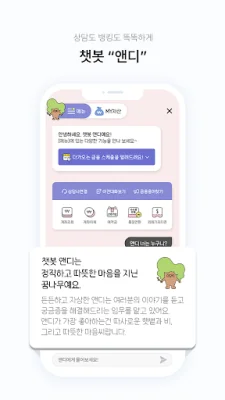
Latest Version
7.0.15
August 09, 2024
(주)아이엠뱅크
Finance
Android
0
Free
kr.co.dgb.dgbm
Report a Problem
More About iM뱅크 - 아이엠뱅크 모바일앱뱅킹
If you have any inquiries, inconveniences, or suggestions while using the service, please contact the I'm Bank Customer Center (1566-5050, 1588-5050). The consultation hours are from 9am to 6pm on weekdays.
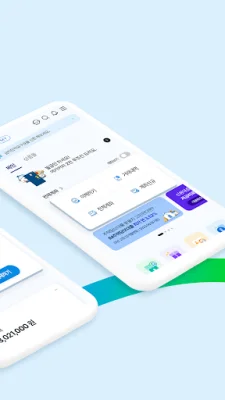
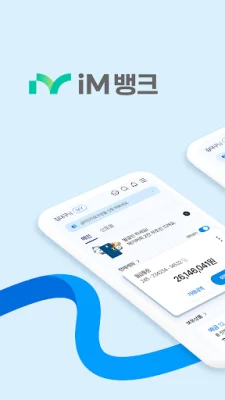
Introducing the easy-to-use mobile app banking (iM Bank app) that everyone can use easily at once!
√ Directly from the main screen!! From checking to transferring - Set your representative account to easily check and transfer frequently used accounts from the main screen - Solve various tasks all at once from the main screen
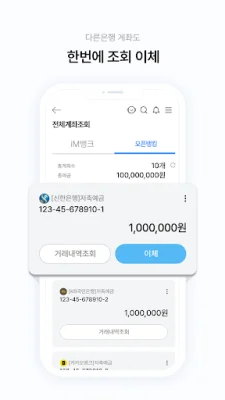
√ View all my financial transactions at once - Gather all my scattered financial information in one place for easy and convenient management through open banking
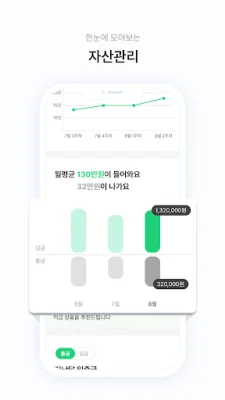
√ Manage all my assets at once - Easily manage my assets on the iM Bank app without any hassle
√ Find personalized products with just one search - See recommended personalized products at a glance with AI recommendations - A financial product mall just for me, recommending products that suit me
√ Smart chatbot, Andy - One-stop service for consultations, MY assets and financial schedule notifications, and convenient banking services
√ Easy and secure 1-second face recognition - Safe identity verification with just an ID and face - Easy face recognition for login and transfers instead of complicated passwords
√ Quick transfers with just a simple password - Login and make small transfers easily and quickly with just a simple password and bio information, without certificates or security devices
● Detailed information on access permissions We would like to inform you of the following access permissions in order to provide the iM Bank app service. [ Access Permissions ] (Required) Phone: Used to collect information about your mobile device (Optional) Contacts: Used for sending SMS after transfers (Optional) Camera: Used for taking photos of IDs and scanning QR codes (Required) Files and Media: Used to access security devices such as certificates (Optional) Notifications: Used for sending PUSH notifications for financial information, events, etc. (Optional) Location: Used to find branch and ATM locations (Optional) Microphone: Used for voice search (Optional) SMS: Used for sending and verifying messages for identity verification, etc.
※ You can still use all services even if you do not agree to optional access permissions, but there may be limitations on using some functions. You can also change these settings in [Smartphone Settings > Applications > iM Bank > Permissions].
● Detailed information on data collection Phone number: The iM Bank app collects data so that you can use transportation card functions (charging, issuance) even when you are not using the app.
Rate the App













Popular Apps









