

Image Clicker-Auto Image Click
1.0.42 by DEVROS (0 Reviews) September 18, 2024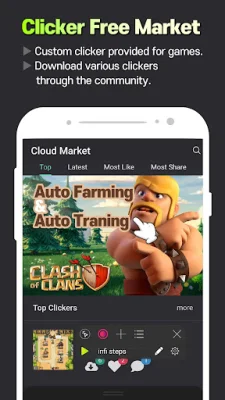



Latest Version
1.0.42
September 18, 2024
DEVROS
Tools
Android
0
Free
com.devros.clicker
Report a Problem
More About Image Clicker-Auto Image Click
This application allows users to create a script that can automatically perform a series of actions. These actions include clicking, swiping, delaying, searching for images, copying and pasting text, opening apps, and navigating to the home or recent screens. This app can be used for various purposes such as skipping YouTube ads, finding sales, automating games, and opening apps automatically.
The app has several features that make it easy to use. Users can record their actions by clicking and swiping on the screen, and the app will automatically record the delay time between each action. These recorded actions can then be played back step by step. Users can also merge different scripts to create new ones and edit existing scripts to make them more sophisticated.
The app also has a market feature where users can download, upload, and even sell their created scripts. There is also a schedule function that allows users to set a specific time for the script to run or stop automatically. Another useful feature is the image search, where users can find a specific image on the screen and set criteria for its location. This can be helpful for games, as the app can automatically click on a monster when it appears on the screen.
To implement these core functions, the app uses the AccessibilityServices API. This API is necessary for actions like clicking and swiping to work properly. However, the app does not collect any personal information. Users can choose to enable this service by clicking the Agree button and changing the Accessibility setting to On in their device's settings.
It is important to note that this app may not work properly on all Android versions. If an error occurs, users can contact the developer through email and provide original and SEO-oriented feedback. The app also requires authorization due to its use of the AccessibilityService for autoclicking. It is only compatible with Android 11.0 and above systems.
Rate the App















Popular Apps









