
Learn Arduino Programming PRO
1.1.0 by CODE WORLD (0 Reviews) November 27, 2025

Latest Version
1.1.0
November 27, 2025
CODE WORLD
Education
Android
0
$1.49
com.codeworld.learnarduinoprogrammingpro
Report a Problem
More About Learn Arduino Programming PRO
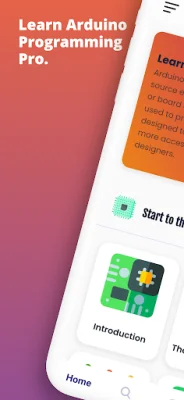
Learn Arduino Programming is an electronic platform that teaches users how to program microcontrollers, connect different components, and use LEDs. It covers various types of Arduino boards, including Arduino UNO, Red Board, LilyPad Arduino, Arduino Mega, and Arduino Leonardo, which are all available in the market.
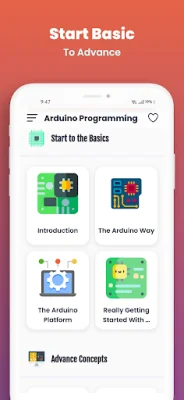
The app is divided into different topics, starting with an introduction to Arduino and its community of makers. It then delves into the Arduino Way, which is the philosophy behind the platform. The Arduino Platform section covers the basics of getting started with Arduino, while the Really Getting Started Arduino section goes into more detail about the setup process.
Advanced Input and Output is a topic that explores more complex projects and techniques, such as using sensors and motors with Arduino. The app also covers Processing with an Arduino Lamp, which teaches users how to use the Processing programming language to create interactive projects with Arduino. The Arduino Cloud section introduces users to the cloud-based features of the platform, while the Automatic Garden Irrigation System topic teaches how to use Arduino for practical applications.
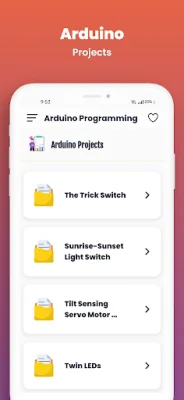
The app also covers the Arduino Arm Family, which is a series of microcontrollers specifically designed for more advanced projects. Talking to the Internet is another topic that teaches users how to connect their Arduino projects to the internet. The app also includes a section on Arduino Projects, which showcases some of the amazing projects that have been created using Arduino.
Lastly, the Troubleshooting section provides tips and solutions for common issues that users may encounter while working with Arduino. The main purpose of this app is to make microcontroller programming accessible to software developers of all levels. It provides a user-friendly interface and a wealth of knowledge from the Arduino community, making it a valuable resource for both beginners and experts. If you enjoy using this app, please leave a comment and give it a 5-star rating. Your feedback is appreciated and helps us improve the app for future users.
Rate the App















Popular Apps









