

Liberty First CU Mobile Bank
by Liberty First Credit Union (0 Reviews) April 20, 2026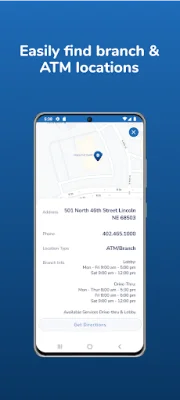

Latest Version
April 20, 2026
Liberty First Credit Union
Finance
Android
0
Free
com.q2e.libertyfirst5043android.lfcubanking.uwnmobile
Report a Problem
More About Liberty First CU Mobile Bank
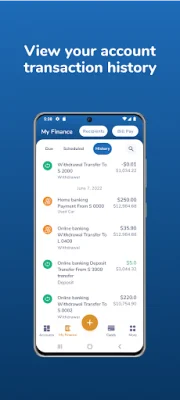
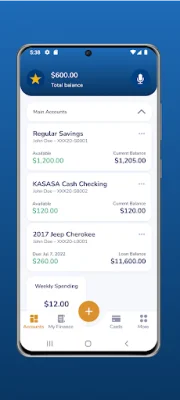
The Liberty First Credit Union Mobile Banking app offers a convenient and secure way for members to manage their accounts on-the-go. With this app, users can easily check their account balances, review transaction history, and transfer funds between accounts. They can even transfer funds between institutions, as long as they have set up this feature in their Online Access account beforehand. Additionally, members can use the app to make regular loan payments and set up account alerts to stay on top of their finances.
One of the key features of the Liberty First Mobile Banking app is the ability to pay bills to existing vendors. This eliminates the need for members to physically go to a branch or use a separate bill payment service. They can also change or cancel pending payments through the app, providing them with more control over their finances.
In addition to managing their accounts, members can also use the app to find a branch or ATM near them. This feature is especially useful for those who are traveling or in an unfamiliar area. The app also allows users to send messages to the credit union, providing a convenient way to communicate and get assistance with any questions or concerns.
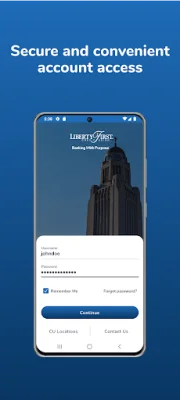
To enroll in this service, members simply need to download the Liberty First Credit Union Mobile Banking app and follow the on-screen prompts. The app uses advanced security measures, including 256-bit encryption technology and personal password protection with multi-factor authentication, to ensure the safety and integrity of users' personal information.
It's important to note that while Liberty First does not charge a fee for utilizing Mobile Banking, message and data rates may apply. For any additional information or assistance, members can contact the credit union directly at (402) 465-1000 or toll-free at (855) 501-4600.
Rate the App















Popular Apps









