

Linksys Connect
1.3.1 by Linksys LLC (0 Reviews) August 08, 2024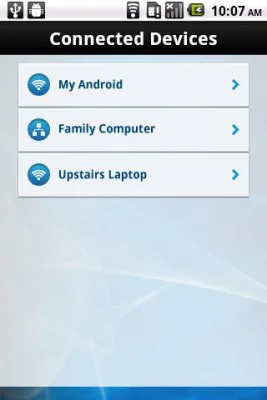
Latest Version
1.3.1
August 08, 2024
Linksys LLC
Tools
Android
0
Free
com.cisco.connect.express
Report a Problem
More About Linksys Connect
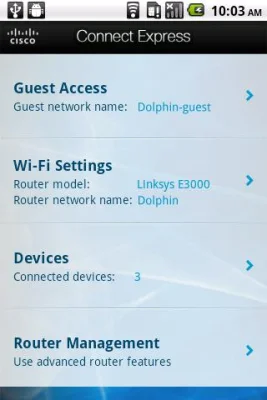
The Cisco Connect Express App is a convenient and user-friendly tool that allows you to easily manage your home network. With guest access, you can provide password-protected Internet access to your visitors without compromising your own privacy. The app stores the guest password, so all you have to do is email it to your guests and they can connect to your network in no time.
Adding devices to your network is a breeze with the Cisco Connect Express App. You can quickly connect your computers, gaming consoles, tablets, and other Wi-Fi enabled devices to your network. And if you ever need to manually add a device, you can easily access your network name and password through the app.
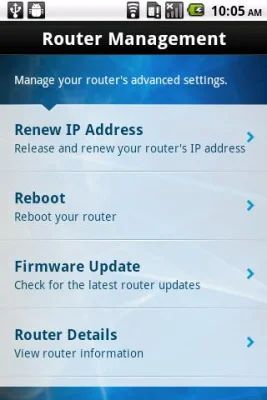
Not only does the app make it easy to manage your network, but it also allows you to access your router's features. You can keep your router up-to-date by checking for firmware updates and viewing details about your router, such as the model name and number, serial number, and firmware version. You can even get a new WAN IP address or reboot your router with just a few taps on the app.
It's important to note that an active Internet Service Provider broadband account is required for the app to work. Additionally, the app is only compatible with Linksys E-Series, X-Series, and Valet home routers. You can check the full list of supported routers on the app's website.
The Cisco Connect Express App is available for Android devices with version 2.2.1 or greater. Once connected to your home Wi-Fi, you can easily manage your network from anywhere in your home. Say goodbye to complicated network management and hello to a simpler, more convenient way to control your home network with the Cisco Connect Express App.
Rate the App















Popular Apps









