
Live Transcribe & Notification
by Research at Google (0 Reviews) July 25, 2024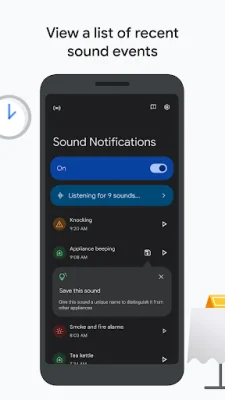
Latest Version
July 25, 2024
Research at Google
Communication
Android
0
Free
com.google.audio.hearing.visualization.accessibility.scribe
Report a Problem
More About Live Transcribe & Notification
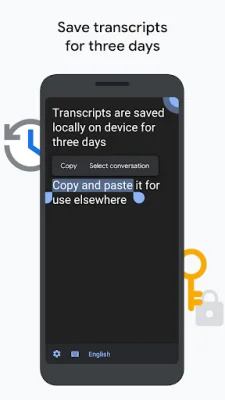
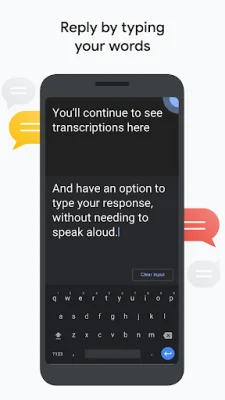
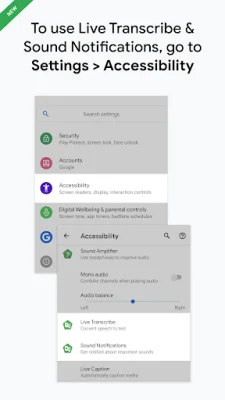
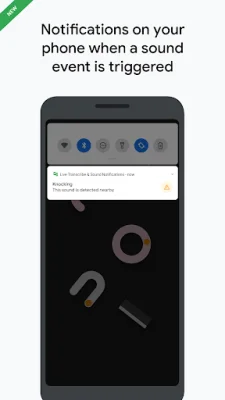
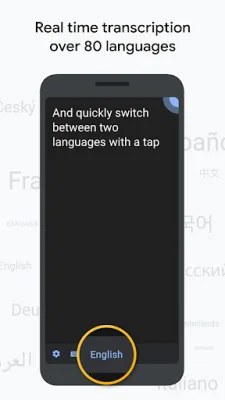
Live Transcribe & Sound Notifications is an application that allows users to access real-time transcription and sound notifications on their devices. This can be done by following a few simple steps. First, open the device's Settings app and then tap on Accessibility. From there, users can choose to open either Live Transcribe or Sound Notifications, depending on their preference. The app can also be accessed through the Accessibility button, gesture, or quick setting on the device. Sound Notifications is a feature that notifies users of potential risky or personal situations based on sounds happening in their home. This can include sounds like smoke alarms, sirens, or baby noises. Users can also customize the app by adding their own sounds to be notified of, such as when their appliances beep. Notifications can be received through a flashing light or vibration on the device or wearable. The app also has a list view that allows users to go back in history and see what sounds were happening around them within the past 12 hours. The real-time transcription feature transcribes speech in over 80 languages and dialects. Users can also add custom words that they frequently use, such as names or household items. The app also has the option to vibrate when someone says the user's name. Users can also type responses in their conversation by bringing up the device's keyboard, and the transcriptions will still appear while typing. External microphones, such as wired headsets, Bluetooth headsets, and USB mics, can also be used for better audio reception. For users who want to refer back to their transcriptions, the app allows them to save them for up to 3 days. This can be useful for copying and pasting the transcriptions elsewhere. Users can also search within their saved transcriptions and copy and paste text by touching and holding it. The app requires Android 6.0 or higher to run. Live Transcribe & Sound Notifications was created in collaboration with Gallaudet University, a renowned university for the Deaf and hard of hearing community in the US. Users can join the accessible Google group to provide feedback and receive product updates. For help using the app, users can connect with the support team at g.co/disabilitysupport. The app requires microphone access to transcribe speech and listen for sounds. However, the audio is not stored after the transcription or processing is finished. As an accessibility service, the app can observe user actions. Notifications access is also required for Sound Notifications to function properly. Nearby devices access is needed for Live Transcribe to connect with Bluetooth devices for microphone use.
Rate the App














Popular Apps









