

Logic Circuit Simulator
36.0.0 by Stefan Belinov (0 Reviews) November 15, 2025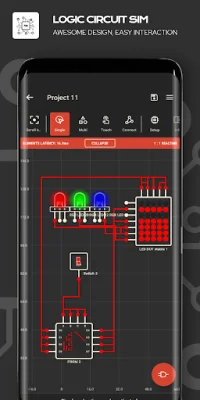
Latest Version
36.0.0
November 15, 2025
Stefan Belinov
Education
Android
0
$4.59
com.duracodefactory.logiccircuitsimulator
Report a Problem
More About Logic Circuit Simulator
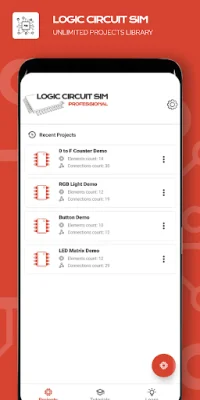
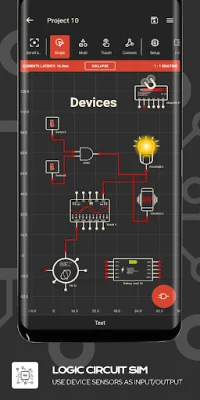
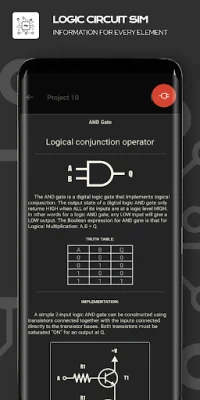
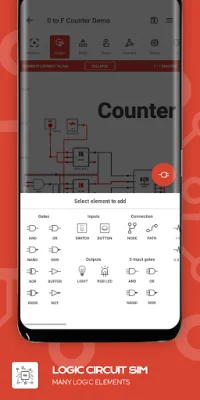
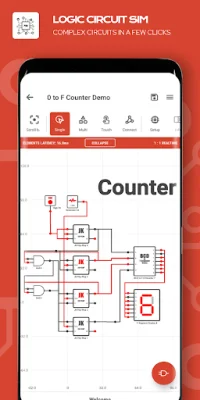
If you are interested in learning about electronics and electrical engineering, this logic electronics simulator is a great tool to have. It is similar to other popular simulators like Multisim, SPICE, LTspice, Proteus, and Altium, making it a familiar and user-friendly option. With this application, you can create and experiment with various logic circuits using a wide range of electronic logic elements. This allows you to gain a better understanding of how electronics work and how to design different types of circuits. The simulator has an intuitive interface and offers a lot of options to explore, making it quick and easy to design COMBINATIONAL LOGIC CIRCUITS. It also provides educational information for all the elements used, making it a great learning tool. You can import, export, and share circuits with ease, as well as embed circuits within each other. If you need help, there are many tutorials and use tips available to guide you. The application is designed to be compatible with tablets, providing a great user experience. It also offers customization options such as different themes and a Dark mode to protect your eyes. There are many elements available in the simulator that are commonly used in electronics, including logic gates, programmable arrays, latches, flip-flops, generators, and device sensors. This allows you to experiment and learn with a wide range of components. The simulator also offers various options such as importing and exporting projects, tutorials, educational information, use tips, grid settings, grid units, and multi-selection mode. You can also easily edit circuits using functions like CUT, COPY, and PASTE. One unique feature of this simulator is the ability to use your device's sensors as inputs or outputs. This includes sensors such as proximity, light, charge, orientation, accelerometer, media volume buttons, battery, tilt, noise, magnetic field, and pressure. Additionally, many of your device's components can be used as outputs, such as a buzzer, vibration, sound, and flashlight. This adds a practical and interactive aspect to the simulator. There is a wide range of elements available in the simulator, including different types of logic gates, IC circuits, programmable logic arrays, read-only memory, multiplexers, demultiplexers, logic constants, nodes, texts, frequency generators, toggle switches, pulse buttons, and various types of displays and LEDs. You can also find different types of flip-flops and latches, as well as a timer that can be adjusted for both on and off functions. With all these options, you can be creative and original in your circuit designs while also optimizing for search engine optimization (SEO). Overall, this logic electronics simulator is a valuable tool for anyone interested in learning about electronics and electrical engineering.
Rate the App








![Kanji Memory Hint 3 [English]](https://appvaultus.s3.amazonaws.com/images/17757588693231276.webp)






Popular Apps









