
Mad Contacts Widget
1.47 by Mad_Apps (0 Reviews) July 28, 2024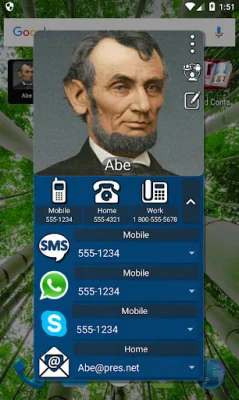
Latest Version
1.47
July 28, 2024
Mad_Apps
Communication
Android
0
Free
com.madapps.madcontactsads
Report a Problem
More About Mad Contacts Widget
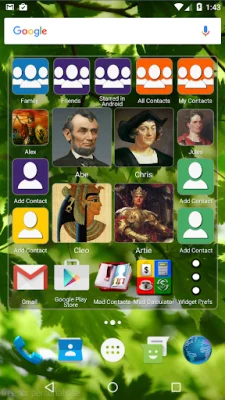
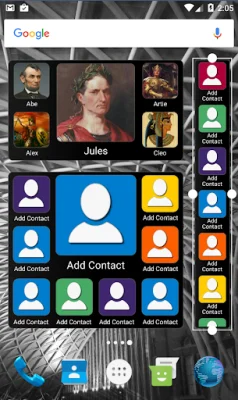
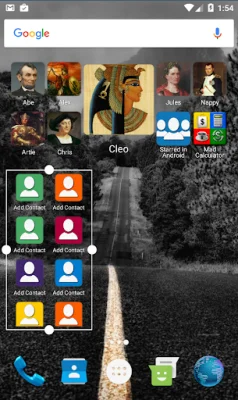
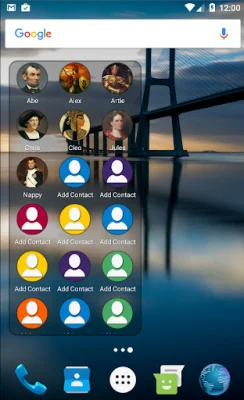
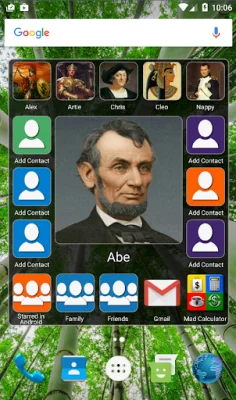
This application offers a variety of customizable widgets for your phone's home screen. These widgets come in multiple sizes and layouts, with options for small or large contact pictures. You can even choose a fully resizable widget, ranging from 1x1 to 8x6 on larger devices. These widgets can hold anywhere from 2 to 999 contacts. With Quick Actions, you can easily reach your contacts with just one click. The scrollable layouts offer 10 different contact photo sizes to choose from, as well as different shapes such as square, rounded square, or round. You can also add shortcuts to any apps on your phone, creating a scrolling home screen with both contacts and apps. The widgets can be filled with any of your contact groups, such as favorites, friends, or family, and can be sorted alphabetically or by most/last time contacted. You can also add shortcuts to multiple contact groups and sort them independently. Additionally, you can edit your contact groups directly from the widget using Mad Contact Groups. This app also supports Skype, WhatsApp, and Viber, allowing you to show or hide call, SMS, Skype, WhatsApp, Viber, and email buttons. You can also customize the colors of your widget(s), including the text, border, and background. The background can even be made fully transparent in the paid version. Some layouts offer both small and large contact photos, and with scrollable layouts, you can choose from 10 different contact photo sizes. The app also remembers the last selected phone number, SMS number, Skype number, WhatsApp number, Viber number, and email address for each contact. This app is compatible with tablets, but requires telephony services and a SIM card for making calls or sending SMS messages. To add the widget to your home screen, long press the background on Android 5 and up, or go to the widgets tab on Android 4. Please note that this is the free, ad-supported version of the app. It includes banner ads and does not allow for customization of widget colors. If you have any questions or problems, you can contact the developers at [email protected] or visit their Facebook page for promotions and updates.
Rate the App















Popular Apps









