

MAE by Maybank2u
0.9.29 by Malayan Banking Berhad (0 Reviews) October 19, 2024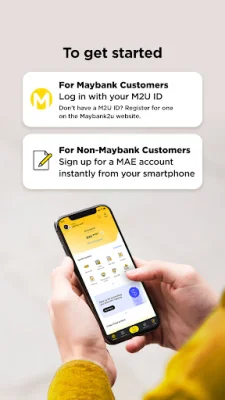
Latest Version
0.9.29
October 19, 2024
Malayan Banking Berhad
Finance
Android
0
Free
com.maybank2u.life
Report a Problem
More About MAE by Maybank2u
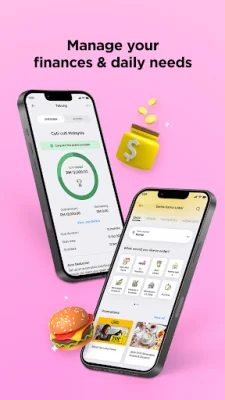
The MAE app is a comprehensive financial management tool that allows you to easily view, track, and manage your finances. But it's more than just a banking app - it also helps you stay organized and plan your lifestyle with just a few taps. With its user-friendly interface and convenient features, the MAE app is the only banking app you'll ever need.
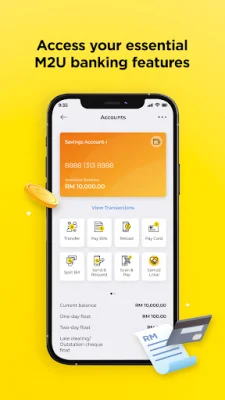
One of the main features of the MAE app is its banking capabilities. You can easily access all your essential banking features, such as viewing your accounts, transferring funds, and paying bills, all in one place. This makes it convenient and efficient for you to manage your finances on the go.
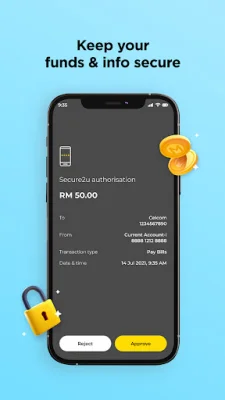
The MAE app also prioritizes security, ensuring that your personal information and funds are always protected. It offers biometric login, instant transaction alerts, and Secure2u for safer and faster transaction approvals. You can even hide your wallet balance whenever you need to for added privacy.
In addition to its banking features, the MAE app also offers a variety of lifestyle features to help you stay on top of your daily tasks and life goals. These include Expenses, Tabung, and Sama-Sama Lokal food delivery. With the MAE app, you can easily manage both your finances and your lifestyle in one place.
Getting started with the MAE app is simple. If you're a Maybank customer, you can log in with your M2U ID and all your settings will be automatically synced with the app. If you don't have an M2U ID, you can easily register for one online on the Maybank2u website. Non-Maybank customers can also sign up instantly with just their phone, skipping the queue at the branch and enjoying all the benefits of being a Maybank customer.
When using the MAE app, you may be prompted to grant certain permissions. These include access to your camera for scanning QR codes and uploading documents, access to your contact directory for easier transactions, access to your location for relevant food listings and promotions, access to your phone's audio for direct calls to the bank's hotline, and access to your settings for push notifications and Secure2u alerts. These permissions are necessary for the app to function effectively and provide you with the best user experience.
Rate the App














Popular Apps









