

Micstream - PC Mic for Windows
by Totrosh Technologies (0 Reviews) November 16, 2025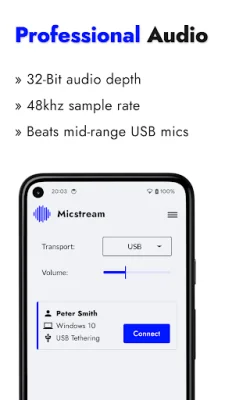
Latest Version
November 16, 2025
Totrosh Technologies
Tools
Android
0
Free
com.totech.phoneasmic
Report a Problem
More About Micstream - PC Mic for Windows
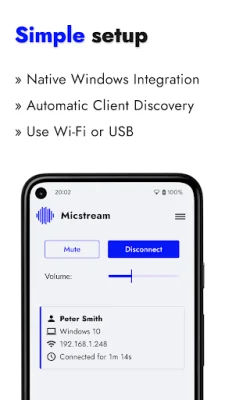
Micstream is a free application that allows you to use your smartphone as a professional-grade PC microphone. However, if you purchase the Pro version, you can remove all ads. The setup process is simple and only requires a few steps. First, you need to download the Windows Client from the micstream.io website. Then, in your Windows settings, select Micstream as your audio input device. After that, you can launch the app and connect it to your PC. Once everything is set up, you can start streaming!
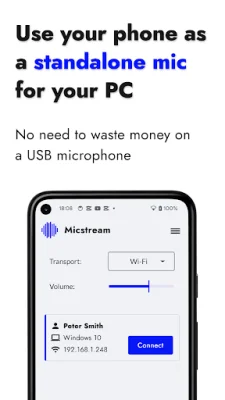
One of the main benefits of using Micstream is that it can save you money. Instead of purchasing expensive standalone microphones, you can use your phone as a high-quality alternative. This also offers ultimate convenience as you can easily carry your phone with you wherever you go. The audio quality is also top-notch, allowing you to capture crisp and clear sound for various purposes such as podcasts, gaming, video calls, and voiceovers. Additionally, Micstream has a customized Windows driver that allows you to use it just like a real hardware PC microphone in any application.
Micstream has several features that make it a reliable and efficient application. It is compatible with both USB and WiFi connections, and it has an automatic PC client discovery feature. The app also uses the Opus codec, a versatile and royalty-free audio codec that is perfect for interactive speech. It also has a studio-quality audio feature with 48kHz and 32-Bit audio for unmatched clarity and detail. Micstream is built with Oboe C++ for maximum performance and supports stereo recording on compatible devices.
The application is currently only available for Windows 10 and 11 operating systems. For the best results, it is recommended to use a USB connection for a stable and instantaneous response. However, WiFi can also be used, but its performance may be affected by local network conditions. Micstream's desktop client has a customized Windows audio driver that supports 32-Bit depth, allowing for a wider dynamic range and increased detail in recordings.
In development, Micstream plans to add noise suppression and real-time statistics on packet loss. The application also has a privacy policy that can be found on their website. Micstream uses the UDP protocol on specific ports for networking with your PC and also has FEC (forward error correction) to handle packet loss. Overall, Micstream is a reliable and convenient application for those in need of a high-quality PC microphone without having to spend a lot of money.
Rate the App















Popular Apps









