Miracast for Screen Mirroring
by Ironfinch (0 Reviews) November 17, 2025

Latest Version
November 17, 2025
Ironfinch
Tools
Android
0
Free
com.casttotv.screenmirroring.wifidirecttv.miracast
Report a Problem
More About Miracast for Screen Mirroring
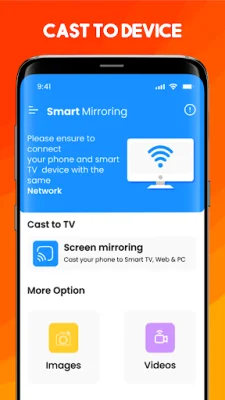
This Miracast for Screen Mirroring app allows you to easily connect your Android mobile phone or tablet to a variety of smart TVs that support the Miracast protocol, such as Fire TV, LG, Roku, Samsung, and more. It is compatible with Android 7.0 and above, ensuring a stable and seamless experience.
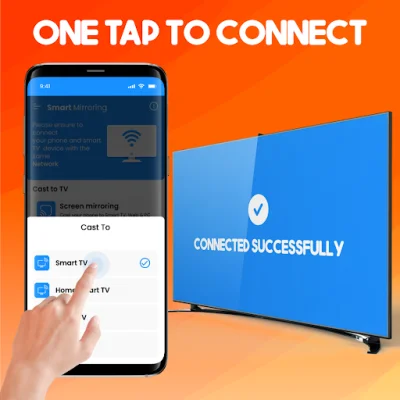
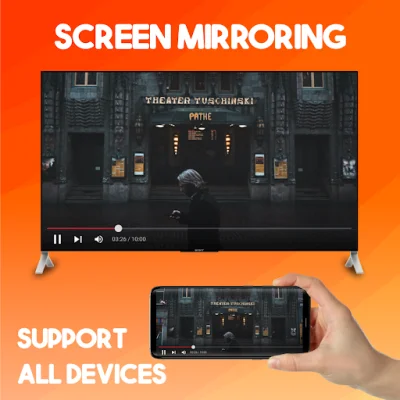
Some unique features of this app include the ability to enjoy music, videos, and games on a larger screen, fast and stable screen sharing, and real-time mirroring of your phone's screen to the TV. It also offers a simple and quick connection process with just one tap over WiFi, and supports a wide range of media files including videos, photos, and audios.
With this Miracast for Screen Mirroring app, you can easily mirror your phone or tablet's screen to a smart TV without the need for any external tools. This allows you to share your travel photos and videos with your family on a bigger display, stream movies and web videos, and even mirror your real-time game screen to share the fun with friends. It is also useful for sharing presentations and documents on a larger screen with co-workers.
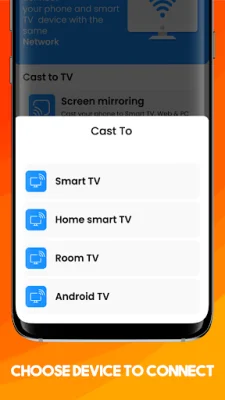
The process of screen mirroring your mobile device to a TV is simple and can be done in just a few steps. First, make sure both your smart TV and mobile device are connected to the same network. Then, ensure that your TV supports Miracast protocol and enable the Miracast Display option. On your phone, enable the Wireless Display option and choose your TV device name to connect with the app. That's it, you can now enhance your visual experience on the big screen.
If you encounter any issues with connecting, there are a few troubleshooting steps you can take. Make sure that both devices are on the same WiFi network and that your TV supports Miracast protocol. If the issue persists, try reinstalling the app and rebooting the TV. For connecting issues with mobile devices, you can also try downloading the screen share app on another device.
Rate the App










Popular Apps









