

Mobile Banking UniCredit
3.56.0 by UniCredit S.p.A. (0 Reviews) October 20, 2024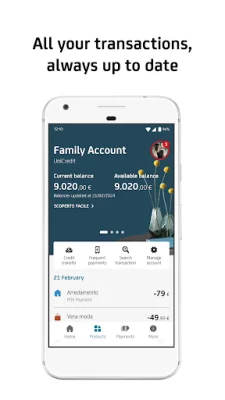


Latest Version
3.56.0
October 20, 2024
UniCredit S.p.A.
Finance
Android
0
Free
com.unicredit
Report a Problem
More About Mobile Banking UniCredit
To use the UniCredit Mobile Banking App, you must have a current account with UniCredit and/or a rechargeable card with an IBAN. You will also need to sign up for the Banca Multicanale Service and download and activate the app on your smartphone.
There are two ways to activate the app: through your smartphone or through Banca via Internet. If you choose to activate through your smartphone, you will need to enter your Banca Multicanale Codice di Adesione and PIN and press proceed. If you choose to activate through Banca via Internet, you will need to enter your Codice di adesione and PIN, as well as a one-time password generated by your device. Then, go to "Settings" > "Mobile" > "Smartphone Application" and press proceed.
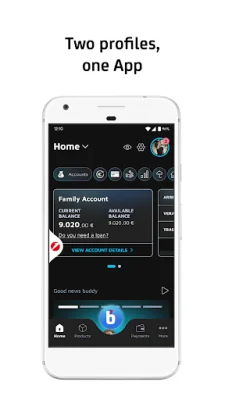
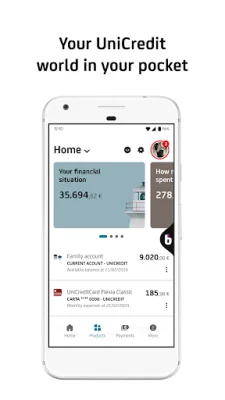
Once the app is activated, you will be taken to the new Home Page where you can view all your relationships linked to the Multi-Channel Banking Service, such as current accounts, cards, mortgages and loans, securities portfolio, and investments. You can also make transactions and monitor your expenses at your convenience.
In the Current Accounts section, you can view all your current accounts and transactions, as well as share IBAN details and manage your account. In the Cards section, you have control of all your UniCredit cards (Credit, Debit, Rechargeable) and can easily manage all available features.
The app also offers a Personal Financial Manager and Budget feature to help you organize your expenses. You can also access your personal area to upload a new profile photo, read notices and messages from the bank, access online documents, read help and F.A.Q. pages, or contact the bank by telephone or chat.
There is a dedicated Payments section for various transactions, such as SEPA transfers, mobile phone and UniCredit prepaid card top-ups, Simplified F24, and various bill payments. You can also find information on how to set up cash withdrawals on UniCredit ATMs, find the nearest branch or ATM, generate one-time passwords, and book an appointment at the branch through the UBook function.
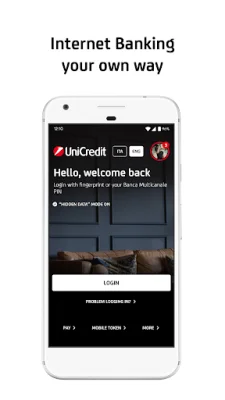
If your smartphone has biometric-based recognition technology, you can access the app and authorize transactions using these tools. For assistance and information, you can visit www.unicredit.it or call UniCredit Customer Service. If you are not a UniCredit customer, you can call the toll-free number or visit the website to learn more.
The UniCredit Mobile Banking App also allows you to apply for a UniCredit account and identify yourself with a selfie. This option is only available for Italian residents who do not already have a UniCredit current account, card with IBAN, and Banca Multicanale Service.
The app also provides access to information and services at the physical UniCredit Branch and the Buddy Branch. Please note that this is an advertising message for promotional purposes and more information can be found in the information documents in the Transparency section at www.unicredit.it. All products and services are sold by UniCredit SpA.
For accessibility information, please visit https://unicredit.it/accessibilita-app. We strive to provide an original and SEO-oriented experience for our users.
Rate the App















Popular Apps









