

mojik - japanese emoji/kaomoji
1.2 by AnArt devs (0 Reviews) August 05, 2024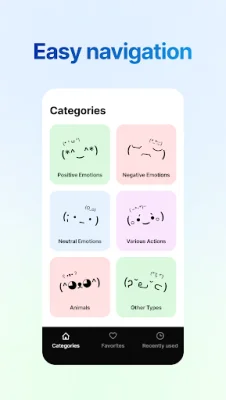
Latest Version
1.2
August 05, 2024
AnArt devs
Entertainment
Android
0
Free
com.sam.wootz.coolemoji
Report a Problem
More About mojik - japanese emoji/kaomoji
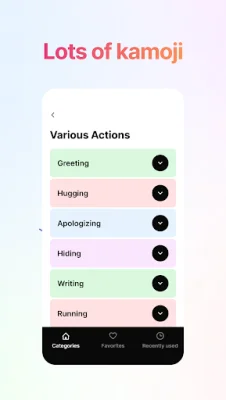
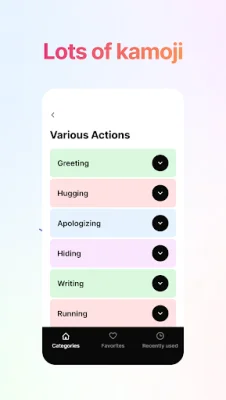
The app is designed to make it easy for users to access and use a vast collection of kaomojis, which are Japanese emoticons made up of characters and symbols. The app has three main screens - Home, Favorites, and Recently Used - that can be easily accessed through the Bottom Navigation menu. The Home screen is where users can find a variety of kaomojis grouped into categories and subcategories, making it easier to navigate and search for specific ones.
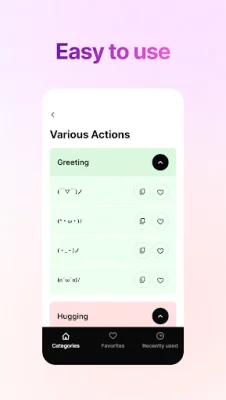
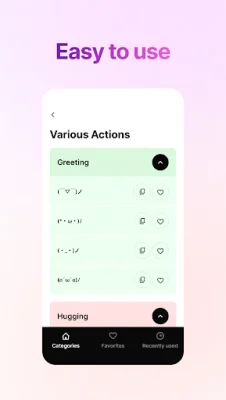
Each kaomoji on the app has two buttons - "Copy" and "Add to Favorites". By clicking the "Copy" button, users can quickly copy the kaomoji to their clipboard, making it available for use in text messages, social media, and other apps. All copied kaomojis can be found in the Recently Used screen, making it convenient for users to access them again.
The Favorites screen allows users to save their most frequently used kaomojis for easy access. By clicking the "Add to Favorites" button, users can add a kaomoji to their favorites list. If they want to remove a kaomoji from their favorites, they can simply click the button again. In case of accidental removal, users can use the "Undo" button in the Bottom Notification Bar to reverse the action.
To use a kaomoji, users can simply tap and hold the screen in any text box, such as when writing a message, and then tap "Paste" to insert it into their text. This feature makes it quick and easy for users to use kaomojis in their daily communication. With the app's user-friendly design and convenient features, it is a must-have for anyone who loves using kaomojis in their messages and social media posts.
Rate the App















Popular Apps









