

Money Manager (Remove Ads)
4.9.18 GP by Realbyte Inc. (0 Reviews) September 01, 2024
Latest Version
4.9.18 GP
September 01, 2024
Realbyte Inc.
Finance
Android
0
$5.99
com.realbyteapps.moneya
Report a Problem
More About Money Manager (Remove Ads)
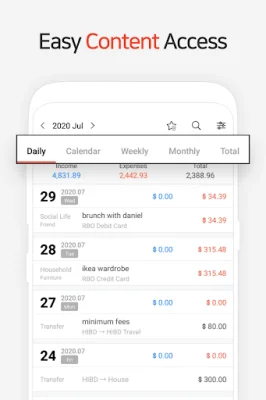
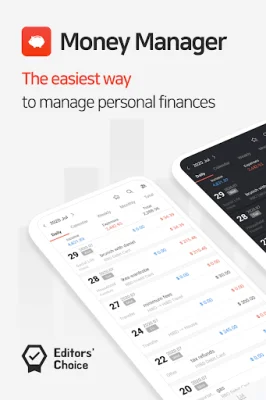
The PC manager function allows users to access the "Money Manager" application through Wi-Fi on their PC. This feature allows for easier viewing, editing, and sorting of financial data by date, category, or account group. Users can also view graphical representations of their account fluctuations on their PC. The application also utilizes double entry bookkeeping, which helps with efficient asset management. This means that not only does the app record income and expenses, but it also automatically deposits income and withdraws expenses from the user's account. Budget management is another key feature of the application. Users can easily track their budget and expenses through a graph, allowing for quick comparison and analysis. The card and debit card management function allows users to enter a settlement date and view payment amounts and outstanding payments in the asset tab. Users can also set up automatic debits by connecting their debit card to their account. For added security, the application offers a passcode feature to protect users' account books. The transfer, direct debit, and recurrence function allows for easy transfer between assets and the management of salary, insurance, term deposits, and loans through automatic transfers and recurrences. Instant statistics provide users with a quick overview of their expenses by category and changes between each month. Graphs also display changes in assets and income/expense. The bookmark function allows users to easily input frequent expenses all at once by bookmarking them. Users can also backup and restore their data through Excel files and Google Drive backup is supported. Other functions include the ability to change the starting date, a calculator function, and a subcategory ON-OFF function.
Rate the App













Popular Apps









