
Мой МТС
6.40.1 by MTS Pjsc (0 Reviews) September 25, 2024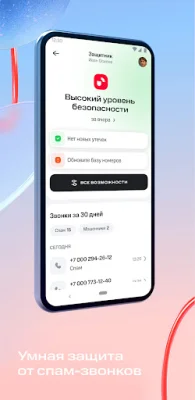
Latest Version
6.40.1
September 25, 2024
MTS Pjsc
Tools
Android
0
Free
ru.mts.mymts
Report a Problem
More About Мой МТС
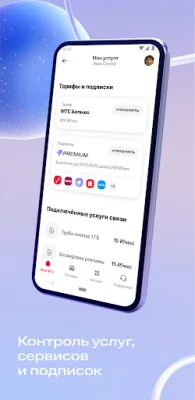
In the catalog, you can find various tariffs, subscriptions, and services for mobile and fixed communication, as well as services for children, leisure, safety, and health. All of the services offered by the MTS ecosystem are available in one convenient application.
So, what can you do with My MTS?
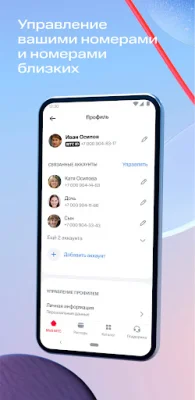
- Manage your own and your loved ones' numbers Add your mobile numbers, smart devices, home internet and TV, and your loved ones' numbers for quick access to all information about them. Switching between accounts is easy with a simple swipe on the main screen.
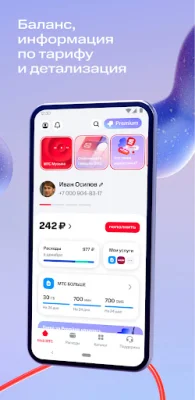
- Top up your balance and manage your finances Keep track of your balance, make payments or transfers. Top up your balance using mobile banking, bank cards, automatic payments, or other methods. You can also transfer funds within Russia and the CIS, top up transportation cards and e-wallets, pay for parking, utilities, government services, and much more.
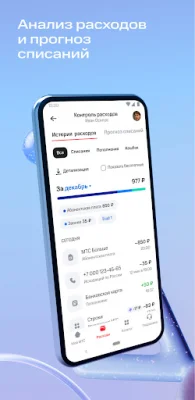
- Monitor expenses and remaining package allowances Track your spending, check your forecasted deductions, or order detailed statements. Analyze how many GB, SMS, and minutes you are using. This data is available for the past six months for users with package tariffs. You can also check your remaining minutes, SMS, and internet GB allowances.
- Find answers to your questions If you have a question or need help, you can find it in the Support section. Here, you can also measure your internet speed and view your smartphone's statistics. There are also useful articles about My MTS and the ecosystem's products. And if you need further assistance, you can chat with us – we will be sure to respond.
- Customize your profile You can edit your personal information, manage accounts and bank cards in the Profile section. You can also choose the app's theme, for example, if you frequently use your phone in the evening, you can select the dark theme – simply set it up in your profile.
- See where your loved ones are Find your loved ones on the map using the built-in "My Search" service. Access it through the "Catalog" - "My Search" section and add an MTS or MegaFon subscriber's number to see their location on the map. Wait for the subscriber to give you permission to access their geolocation.
- Set up protection against spam calls Activate the "MTS Defender" service – it blocks spam calls, saving you time from answering questionable calls. Select "Defender" in the "Catalog" section, activate it, and set up the anti-spam service's rules. You can edit the list of numbers, read the blocked call's decryption, and manage notifications about them. Users of "Defender" also have access to a free number identifier. The number identifier will show you which organization is calling you and the security level based on our Big Data.
- Receive great offers On the main screen, in the "Prizes and Gifts" section, you can win discounts on digital products and communication services, promo codes for useful and entertaining services from MTS and its partners – MTS Music, online cinema KION, Stroki, and many others.
Traffic within the app is not used or charged. The fee is deducted according to your tariff only if you install or update My MTS or click on external links. We always welcome your feedback and look forward to hearing from you at [email protected].
Rate the App













Popular Apps









