
MSB Parent, USA
14.1.0.132653 by Heartland Payment Systems (0 Reviews) September 25, 2024



Latest Version
14.1.0.132653
September 25, 2024
Heartland Payment Systems
Education
Android
0
Free
com.hss.msb
Report a Problem
More About MSB Parent, USA
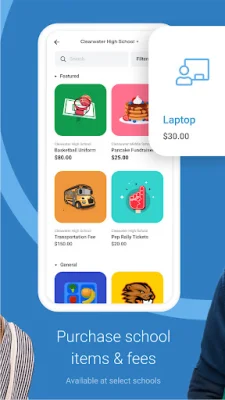
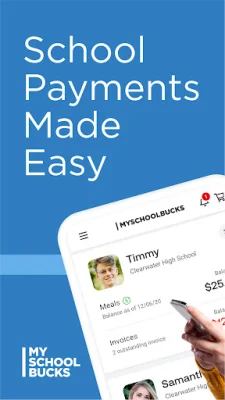
This application is designed to help parents keep track of their students' progress and activities. It allows parents to take photos of their students and store them in the app, as well as keep track of any crashes or issues that may occur. In order for the app to function properly, it requires certain permissions from the user's device.
The first permission needed is for the camera. This allows parents to take photos of their students and upload them to the app. This feature can be useful for keeping a visual record of their child's growth and development, as well as for sharing photos with other family members or teachers. By granting this permission, parents can easily capture and store memories of their child's school experience.
The second permission required is for storage. This allows the app to save the photos taken by parents, as well as any crash log data. This is important for troubleshooting any issues that may arise and ensuring the app runs smoothly. By granting this permission, parents can rest assured that their photos and data will be securely stored within the app.
The third permission needed is for phone and SMS. This is used for the username and password recovery process. In case a parent forgets their login information, they can request a recovery code to be sent to their phone via SMS. This adds an extra layer of security to the app and ensures that only authorized users have access to their child's information.
In summary, this application is a helpful tool for parents to stay connected with their child's education. By granting the necessary permissions, parents can easily take and store photos, as well as troubleshoot any issues that may occur. The added security measures also provide peace of mind for parents, knowing that their child's information is safe and secure.
Rate the App














Popular Apps









