

Multi Parallel: Multi Accounts
4.0.58.1031 by Winterfell Applab - Clone App & Status Downloader (0 Reviews) November 15, 2025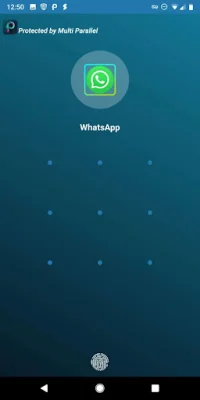
Latest Version
4.0.58.1031
November 15, 2025
Winterfell Applab - Clone App & Status Downloader
Tools
Android
0
Free
multi.parallel.dualspace.cloner
Report a Problem
More About Multi Parallel: Multi Accounts
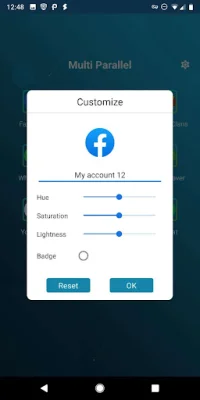
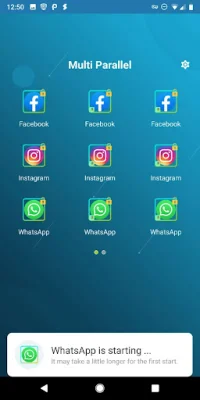
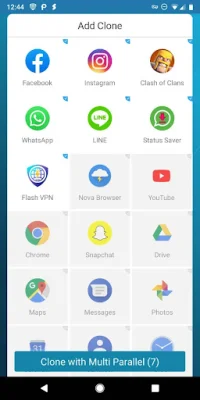
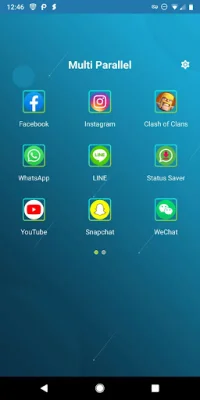
Multi Parallel is an application that allows you to manage multiple social accounts and easily switch between them. It also lets you play games with different roles or multiple accounts for more enjoyment. With Multi Parallel, you can use one phone to log in to multiple accounts and keep them all online at the same time. You can create as many accounts as you want, customize them with different icons and names, and protect them with a privacy locker.
This app is compatible with the latest Android OS version, including Android 14, and has been verified with popular device models and apps. It works with most messaging, game, and social networking apps, and supports Google Play Services. This means you can connect with your Google Play Games or other services in your clones.
Multi Parallel allows you to log in to multiple messaging, game, and social apps, making it easy to balance between your personal and work accounts. You can also have double game accounts for double the fun. The data of your clones and original apps are separated, so you don't have to worry about mixing them up.
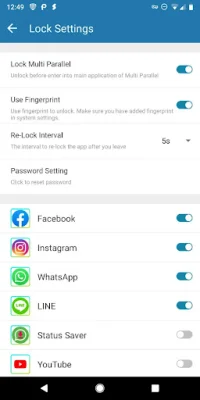
You can customize your accounts with different icons and labels, making it easier to differentiate between them. The app also has a privacy locker feature that allows you to lock the main app or specific clones for added security.
Switching between multiple accounts is fast and easy with just one tap. You can run multiple accounts simultaneously, and the app will create icons with clone tags for easy identification. Multi Parallel is lightweight, clean, and has low RAM and power consumption, making it efficient to use.
The app also has a Lite Mode for even better power and memory efficiency. It requires a few permissions, but it may need to apply more for the clone apps. It is recommended to grant these permissions to avoid any mis-function or crashes when running clones.
Multi Parallel does not collect any personal information and only uses general usage data to improve the product and analyze crashes. If you enjoy using the app, please give it a five-star rating as your encouragement is their greatest motivation. If you have any questions or suggestions, you can click on the "Feedback" button within the app or send an email to their support team. Their email address is [email protected].
Rate the App













Popular Apps









