

My dictionary - WordTheme Pro
13.19.0 by Sore Ga Inochi (0 Reviews) April 11, 2026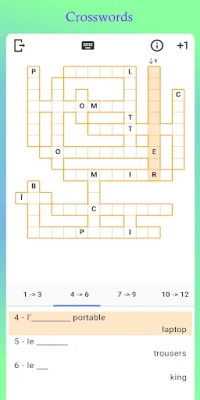
Latest Version
13.19.0
April 11, 2026
Sore Ga Inochi
Education
Android
0
$6.99
fr.jmmoriceau.wordthemeProVersion
Report a Problem
More About My dictionary - WordTheme Pro
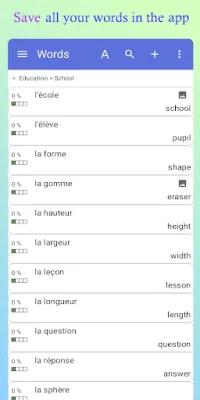
This application is a comprehensive tool for managing and expanding your vocabulary. It allows you to add and modify words or sentences with their translations, listen to their pronunciation, and organize them into themes or categories. You can also create a hierarchy of themes and categories, with the ability to sort and move words between them. This makes it easy to create multiple dictionaries for different subjects or languages.
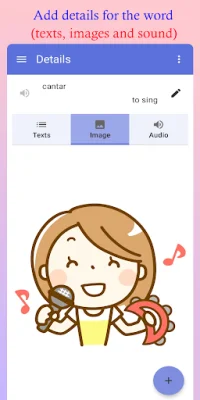
One unique feature of this app is its ability to associate images, tags, and various texts (such as definitions, conjugations, and examples) with each word. This makes it a useful tool for creating constructed languages or glossaries for specific subjects like mathematics, psychology, or cooking.
To make it easier to access your dictionaries on different devices, WordTheme allows you to save, import, and synchronize them via Google Drive. This also makes it a great tool for sharing your dictionaries with friends or creating backups.
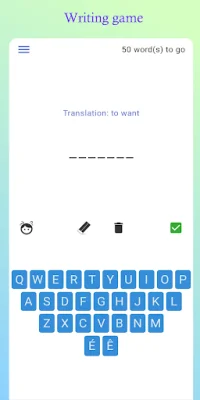
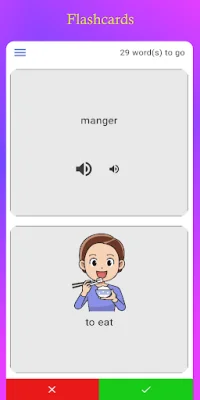
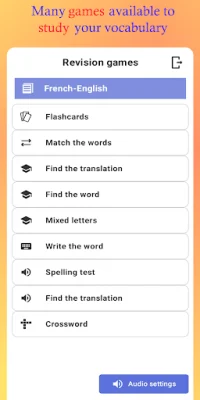
In addition to its organizational features, this app also serves as a vocabulary trainer. It offers several games, such as flashcards, matching, and spelling tests, to help you learn and memorize the words in your dictionary. These games can even be used with languages written from right to left, such as Arabic or Hebrew.
The pro version of this app offers additional features, including the ability to search across all dictionaries, access new games like crosswords, and filter words for games using tags. It also has a dark mode option to reduce visual fatigue while using the app.
If you have any suggestions or encounter any bugs while using the app, you can contact the developer via email. The app also has a YouTube channel for tutorials and updates. Overall, this application is a valuable tool for anyone looking to expand their vocabulary and organize their words in a personalized and efficient way.
Rate the App













Popular Apps









