

My DNS
1.9 by Astrit Veliu (0 Reviews) November 15, 2025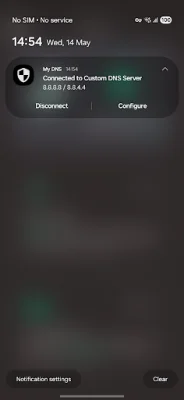
Latest Version
1.9
November 15, 2025
Astrit Veliu
Tools
Android
0
Free
website.techalbania.generaldns
Report a Problem
More About My DNS
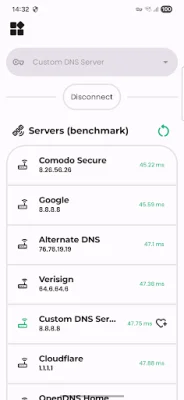
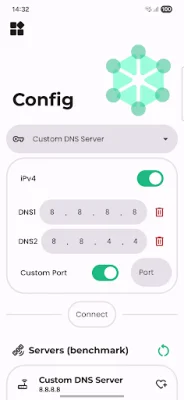
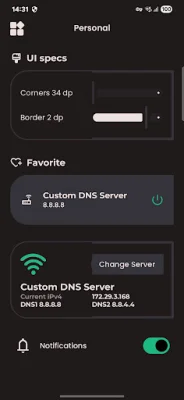
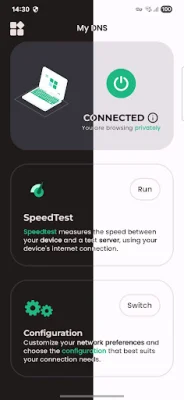
My DNS is a comprehensive and user-friendly application that helps you manage and optimize your network connectivity. With its flat UI design and a wide range of features, it offers a seamless experience for users. The latest update brings even more goodies, including notifications, personalization settings, and a custom port for redirecting traffic. The app has been completely re-written and updated with the latest technologies, making it more efficient and effective than ever before. Additionally, new ping tools have been added to provide users with a more comprehensive understanding of their network.
One of the key features of My DNS is its ability to simplify the process of changing DNS servers. With just a few clicks, users can customize their network settings through an intuitive interface. This makes it easier for users to manage their network configurations without any hassle.
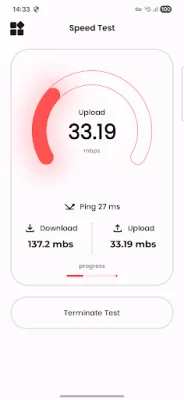
The app also offers a range of powerful network tools, such as DNS lookup, ping, and traceroute. These tools allow users to troubleshoot and understand their network better, making it easier to identify and resolve any issues that may arise.
My DNS also prioritizes the security of its users' online activities. It offers secure DNS configurations to protect users' privacy and safeguard their online data. This is made possible through the use of the Android VpnService, which creates a secure VPN connection for making DNS changes.
In case users have any questions or need assistance with DNS configuration or network tools, the app's support team is always available to help. Users can contact them at [email protected] for any queries or concerns. With its user-friendly interface, advanced features, and focus on security, My DNS is the ultimate solution for managing and optimizing network connectivity.
Rate the App














Popular Apps









