

MYUGPAY
1.0.4 by GUARANTY TRUST BANK (UGANDA) LIMITED (0 Reviews) October 07, 2024
Latest Version
1.0.4
October 07, 2024
GUARANTY TRUST BANK (UGANDA) LIMITED
Finance
Android
0
Free
com.gtbank.myugpay
Report a Problem
More About MYUGPAY
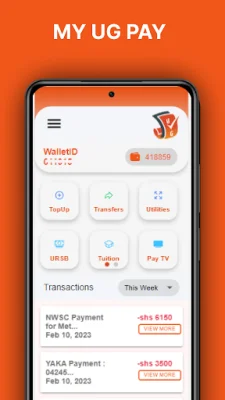
This application serves as a convenient mobile wallet and all-in-one payment platform for your household needs. With just your mobile device, you can easily find and make various payments through this secure and user-friendly app.
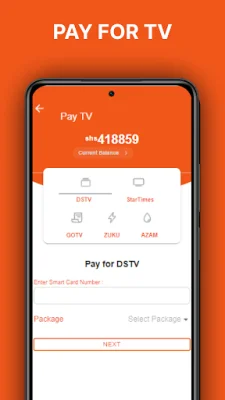
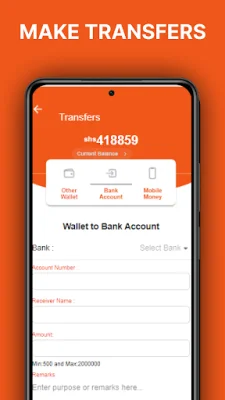
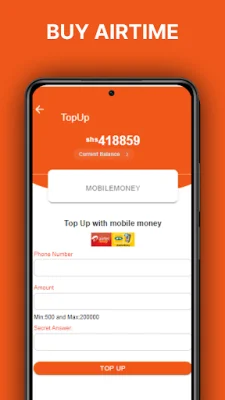
MYUGPAY offers a range of services including topping up your Airtel or MTN mobile money, paying URA taxes, settling water, electricity, and TV bills, purchasing airtime and data bundles, making school fee payments, initiating bank transfers to any bank in Uganda, and transferring money to another MYUGPAY wallet. You can also reset your password if forgotten and view your transaction history.
However, please note that standard network charges may apply as you may be charged by your service provider.
To get started, simply install the application and register for a MYUGPAY wallet account by providing the necessary details. A confirmation OTP will be sent to your registered email address. Once registered, log in with your registered phone number and password. You will then be prompted to enter a 6-digit code (OTP) to confirm your account creation.
For first-time users, you will be asked to set up a few secrets. Once completed, you will be logged out of the application to activate the settings. On your second login, another OTP will be sent to your email to confirm the secrets. After this, you can start using the app. Please note that this process is only required for the initial account setup.
It is important to note that this application is tied to your device, so any changes to your device should be communicated. This ensures the security of your account and personal information. With MYUGPAY, managing your household payments has never been easier and more convenient.
Rate the App












Popular Apps









