

myVault - Hide Photos & Videos
by Arytan Technologies (0 Reviews) December 09, 2025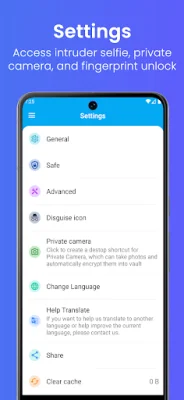
Latest Version
December 09, 2025
Arytan Technologies
Tools
Android
0
$0.49
com.arytan.vault
Report a Problem
More About myVault - Hide Photos & Videos
The myVault app is a secure way to transfer your private photos and videos from your device's Gallery to a hidden vault. This app also offers a calculator and fingerprint lock for added protection of your private data. In addition to these features, myVault also includes a private web browser, note-taking capabilities, a built-in video player, and an intruder selfie function.
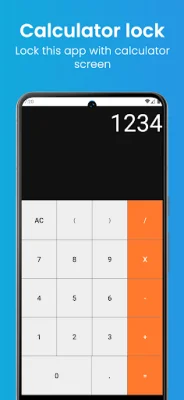
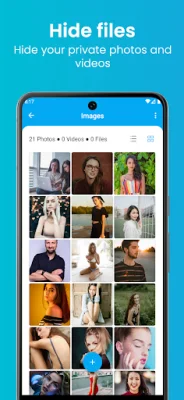
To use the app, you first set a PIN on the calculator lock screen and create a security question and answer. The home screen provides default folders, but you can also create your own. From the home screen, you can select a folder and use the + button to import files and hide them from view. If you want to retrieve these files, you can long-press and select the unhide option from the menu.
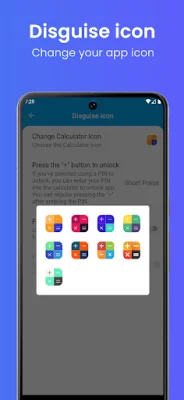
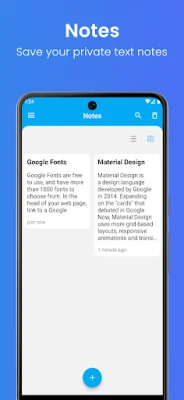
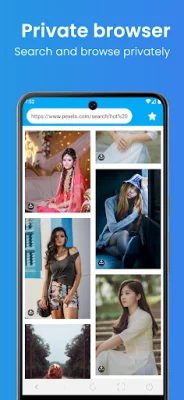
The vault feature allows you to hide your private photos, videos, and documents behind a calculator lock screen. The private browser feature allows you to browse the internet and watch videos without leaving a history. You can also save and read important notes within the app. The intruder selfie function takes a picture of anyone trying to access the app without authorization. The built-in video player allows you to watch your videos without leaving the app. And for added security, you can change the app icon to different calculator icons.
The calculator lock screen serves as the login screen for the app, providing access to the vault and other features. The settings menu allows you to manage your lock, unlock, and private camera settings.
It is important to note that before uninstalling the app, you should unhide any files from the vault to avoid losing them. For more information and updates, you can visit the app's website at https://arytan.com/ or contact the developers at [email protected]. They encourage original and SEO-oriented feedback.
Rate the App














Popular Apps









