

myWGU Mobile
6.0.5 by Western Governors University (0 Reviews) December 04, 2025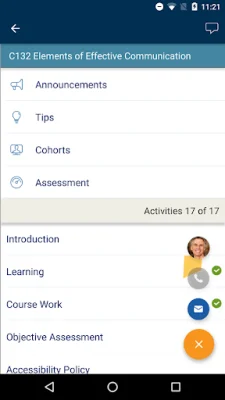
Latest Version
6.0.5
December 04, 2025
Western Governors University
Education
Android
0
Free
edu.wgu.students.android
Report a Problem
More About myWGU Mobile
The new WGU Mobile app has undergone a complete redesign, making it more user-friendly and convenient for students. This app can be used on both phones and tablets, and can be viewed in both portrait and landscape orientation. This allows for a seamless experience, no matter what device you are using.
One of the most exciting features of the new app is the ability to receive push notifications for updates on your assessments. This means that you will never miss an important deadline or announcement from your course instructors. This feature helps to keep students on track and informed about their progress.
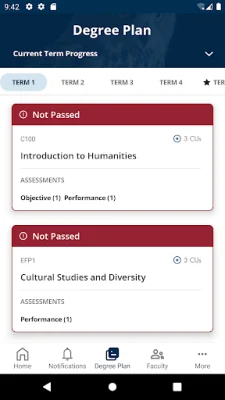
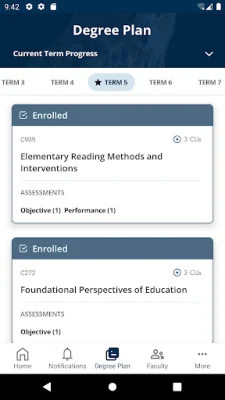
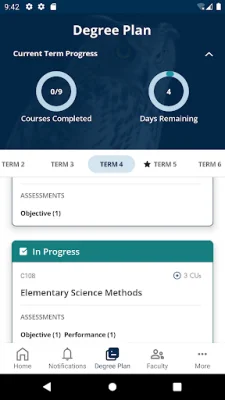
The app also allows students to view their entire degree plan, including the courses they are currently enrolled in, those they have completed, and those remaining to complete their degree. This provides a clear overview of their academic journey and helps them stay organized.
Students can also access all of their courses through the app, including Course Announcements, Tips, and Assessments. This makes it easy to stay up-to-date with course materials and assignments, even when on-the-go.
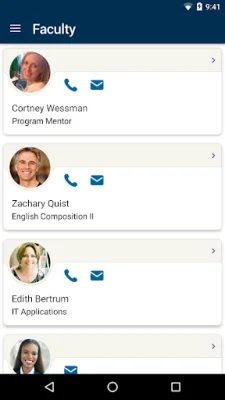
The app also offers the convenience of being able to pick up a course right where you left off in the Student Portal. This is because the app automatically synchronizes your course progress between the two platforms. Additionally, students can easily find contact information for their program mentor, course instructors, and WGU support departments, making it easy to reach out for assistance when needed.
The app also provides helpful links to resources such as the WGU Library, Student Handbook, and more. This makes it easy for students to access important information and resources that can aid in their academic success.
Lastly, the App Center feature allows students to see which mobile apps other students find useful. This can be a great way to discover new tools and resources that can enhance the learning experience.
In the event that a student encounters any issues with the app, there is a feedback form available within the app or they can contact the Service Desk for assistance. This ensures that students have a smooth and hassle-free experience while using the WGU Mobile app.
Rate the App













Popular Apps









