NAVER Mail
2.2.10 by NAVER Corp. (0 Reviews) August 01, 2024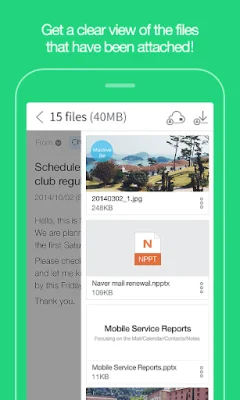

Latest Version
2.2.10
August 01, 2024
NAVER Corp.
Communication
Android
0
Free
com.nhn.android.mail
Report a Problem
More About NAVER Mail
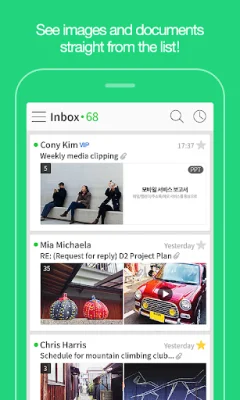
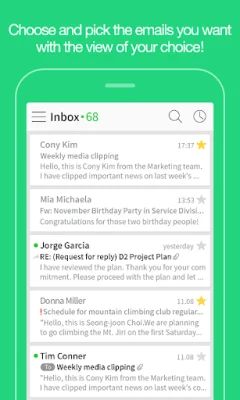
This application is designed to make managing your emails easier and more efficient. It offers a variety of key features that allow you to customize your email viewing experience and quickly find the emails you need. One of the main features is the ability to shift between different view types, such as an interactive view or a view organized by person. This allows you to choose the most comfortable and convenient way to view your emails.
If you want to quickly filter through your emails, you can use the "Quick Filter" feature. With just one touch, you can view only unread emails, important emails, emails with attachments, or emails from VIP contacts. This saves you time and helps you focus on the most important emails.
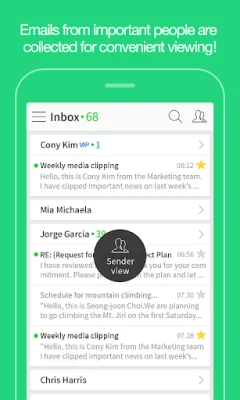
The app also allows you to view your emails by sender. By tapping on the person icon in the view shifting menu, you can organize your emails by sender. This is useful for quickly checking emails from important contacts and grouping unimportant emails together to handle at once.
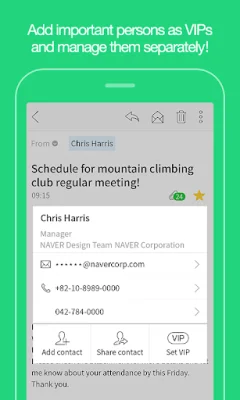
Deleting unnecessary emails is made easy with the "Swipe to Delete" feature. You can simply swipe left on a list of emails to delete them, or swipe right to mark them as unread. Additionally, you can add important contacts to your VIP list, which will prioritize their emails and allow you to filter to view only their emails.
The app also offers a convenient way to manage attachments. You can preview attachments before sending them or quickly check if they have been properly added. The "Attachment List" feature allows you to manage all attachments at once.
Other useful features include the ability to check if your sent emails have been received and read, and the option to cancel a sent email if the recipient uses NAVER mails. You can also import external emails from other providers, such as Gmail or Yahoo, and sync with Naver Cloud to attach large files and save attachments.
To ensure the security of your emails, you can use a password lock to prevent others from accessing them. This is especially useful if your phone is lost. The app also offers a screen optimized for tablets, making it easier and more enjoyable to view your emails on a larger screen.
If you have any questions or need assistance while using the app, you can contact NAVER Customer Service Center for support. With its user-friendly features and convenient options, this app is a great tool for managing your emails on the go.
Rate the App















Popular Apps









