

Navigate360 Student
24.10.85 by EAB Global (0 Reviews) October 20, 2024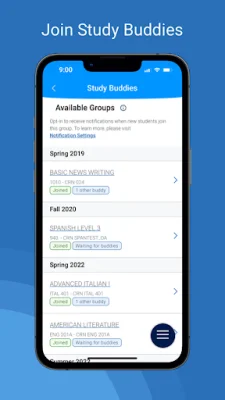

Latest Version
24.10.85
October 20, 2024
EAB Global
Education
Android
0
Free
com.eab.se
Report a Problem
More About Navigate360 Student
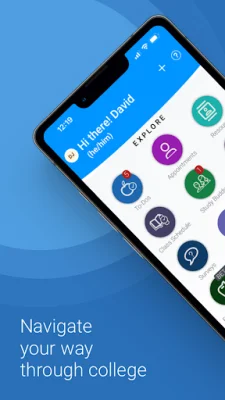
Navigate is an application that allows students to easily manage their academic life. It offers a variety of features such as appointment scheduling, to-do lists, class schedules, resources, study buddies, and more. These features are designed to help students stay organized and on top of their school responsibilities.
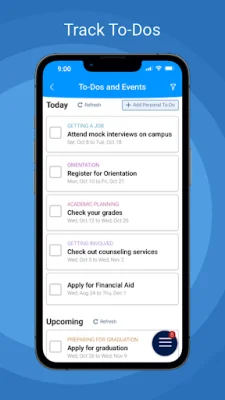
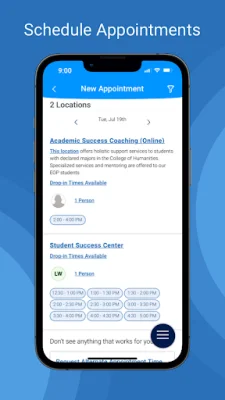
One of the key features of Navigate is appointment scheduling. This allows students to schedule appointments with their school staff, making it easier to meet with professors or advisors. The app also includes a to-do list feature, which allows students to view their upcoming tasks and events from their school. This helps students stay on track and not miss any important deadlines.
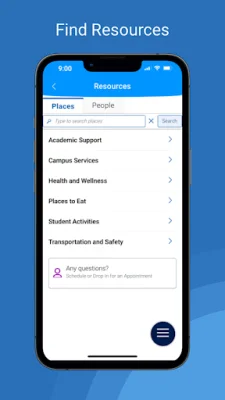
Another useful feature of Navigate is the class schedule. Students can view their classes and even sync them to their phone calendar, making it easier to keep track of their daily schedule. The app also provides resources such as location and contact information for people and places at school. This can be especially helpful for new students who are still getting familiar with their campus.
One unique feature of Navigate is the study buddies feature. This allows students to connect with other students and form study groups. This can be a great way to collaborate and study together, especially for difficult courses. The app also has a section for "My Docs" where students can view appointment summaries, progress reports, and notes from their school. This can be a convenient way to keep track of important documents and information.
In addition to these features, Navigate also offers the ability to view holds and steps to remove them, share feedback through surveys, and configure notifications for email, text messages, and mobile push notifications. Students can also use the app to view their major and explore other majors that might be a good fit for them.
It's important to note that Navigate can only be used if your school partners with EAB. The app relies on data and configuration from your school, so some features may not be available depending on your school. If you encounter any login problems, you can contact [email protected] using your school-affiliated email address for assistance. Overall, Navigate is a valuable tool for students to stay organized and on top of their academic responsibilities.
Rate the App















Popular Apps









