
Nest Pensions
1.6.0 by Nest Pensions (0 Reviews) May 08, 2026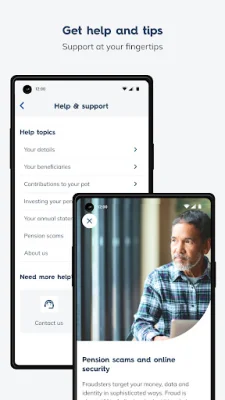
Latest Version
1.6.0
May 08, 2026
Nest Pensions
Finance
Android
0
Free
com.nestpensions.memberapp
Report a Problem
More About Nest Pensions
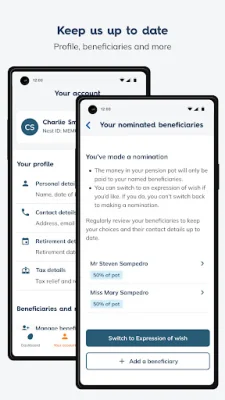
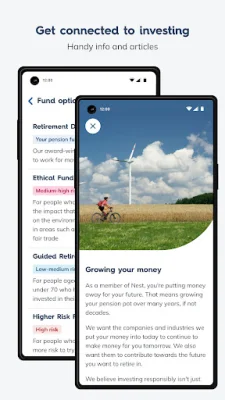
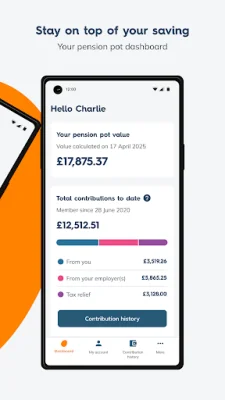
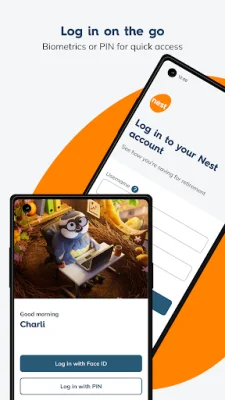
The Nest Pensions app is a convenient and secure way for members to access their pension information. With the app, you can easily log in using biometric (fingerprint or face ID) or a PIN, making it quick and hassle-free to view your pension pot dashboard. This dashboard allows you to see contributions made by you, your employer, and the government's tax relief, as well as the fund your pot is invested in. You can also keep your account details up-to-date, such as your address, phone number, and email.
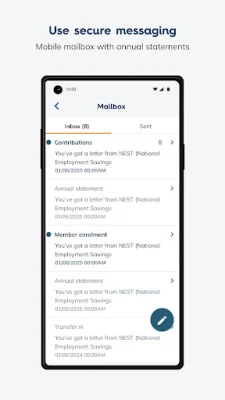
In addition to managing your account, the app also allows you to add or manage beneficiaries for your pot. This feature ensures that your pension is passed on to your loved ones in the event of your passing. You can also view and send secure messages through the app, making it easy to communicate with Nest about any questions or concerns you may have.
To get started with the app, you must first be a Nest member. If you have already set up your Nest account online, you can simply log in to the app using the same username and password. You will then be prompted to set up a 6-digit PIN or biometric login for future use. If you have not yet set up your Nest account online, you can do so by registering on the Nest website and then downloading the app.
If you need any help or support while using the app, you can find it in the Help section. The Member Help Centre on the Nest website also offers app support. And if you have any questions about your account or pension pot, you can easily send a secure message through the app or website.
The Nest Pensions app values your feedback and encourages you to share your thoughts on the features and tools provided. You can contact them at [email protected], but be sure not to include any personal details in your message for security purposes. So why wait? Download the Nest Pensions app today and easily manage your pension on-the-go.
Rate the App














Popular Apps









